Let's Encrypt Adds Checks Nov 10: Keep Renewals Working
Let's Encrypt plans to validate from seven locations from 10 November 2026. Test your challenge path and fix geo blocks, WAF challenges and bad redirects.
The short answer
Let's Encrypt plans to validate each domain from one primary datacenter plus six remote perspectives from 10 November 2026, up from four remote ones, to meet CA/Browser Forum rules taking effect on 15 December 2026. Let's Encrypt expects little to no impact. To be safe, check that http://yourdomain/.well-known/acme-challenge/ answers on port 80 from anywhere with no geo block, WAF challenge or odd redirect, then read your AutoSSL or ACME log after the next renewal.
Reading options
On this page
If your site renews its certificate with Let's Encrypt over HTTP, the short answer is this: make sure http://yourdomain/.well-known/acme-challenge/ answers normally to visitors from anywhere in the world, with no block page, no bot challenge and no strange redirect. Most sites already pass, and Let's Encrypt itself expects little to no impact.
Here is the change. At the time of writing (30 October 2026), Let's Encrypt plans to check each domain from seven network locations instead of five, starting in production on Tuesday 10 November 2026. The staging environment, its test system, switched on Tuesday 27 October 2026.
By the end of this guide you will be able to test your challenge path from outside your network, spot the Cloudflare and firewall settings that get in the way, read your cPanel AutoSSL logs, fix the cause and re-run a renewal without hammering the certificate authority.
What multi-perspective validation actually is
When you ask Let's Encrypt for a certificate, it has to check that you control the domain. With the HTTP-01 method, your server puts a small file with a random name (a "token") at a known address, and Let's Encrypt downloads it.
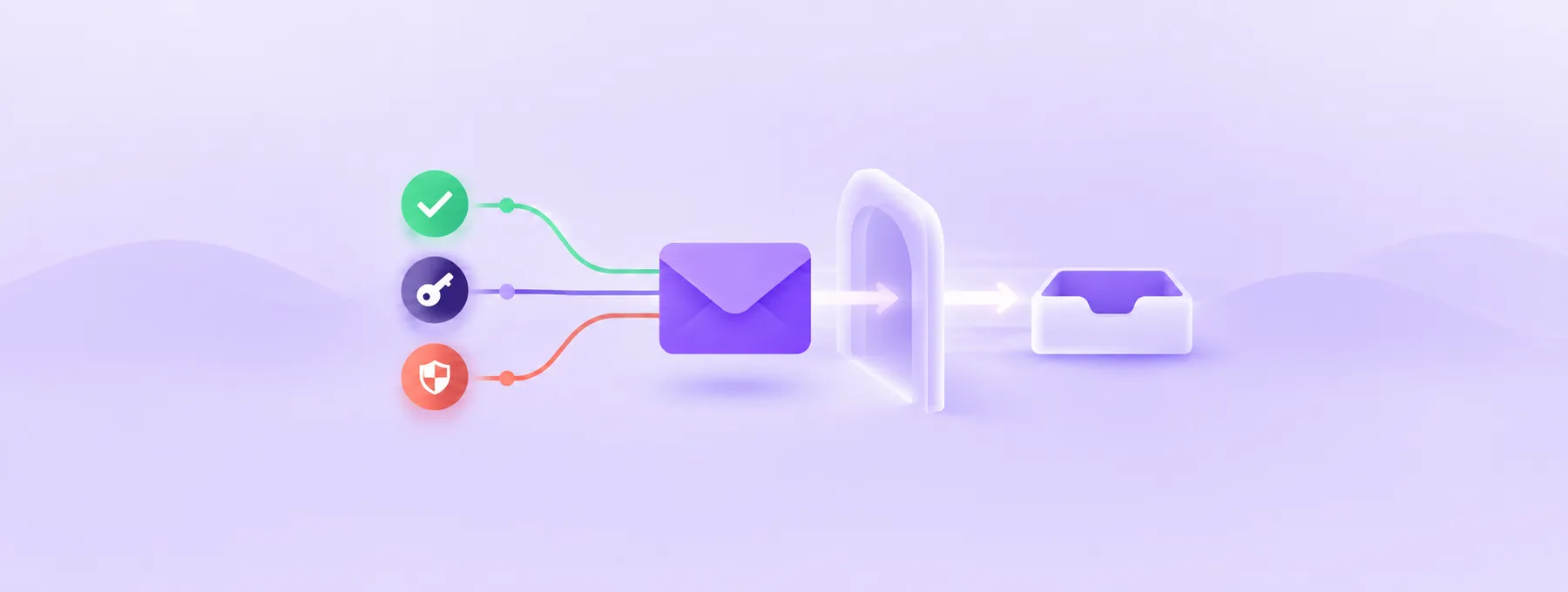
Multi-perspective validation means Let's Encrypt does not download that file from one place only. It downloads it from its main datacenter (the "primary") and also from several "remote perspectives", which are other servers in different parts of the internet.
Think of a bank checking your home address. One courier could be fooled by a fake sign on the wrong house. Seven couriers arriving from different directions are much harder to fool.
According to the Let's Encrypt announcement, each validation now makes seven requests: one from the primary datacenter and six from remote perspectives, up from four remote ones. The primary and a quorum (a required minimum number) of remote perspectives must all receive the correct answer.
Why this matters: the change responds to the CA/Browser Forum Baseline Requirements, section 3.2.2.9, "Multi-Perspective Issuance Corroboration". The Baseline Requirements are the industry rule book that public certificate authorities follow. That section takes effect on 15 December 2026 and requires at least five remote network perspectives. The same text says the remote perspectives must sit in the service regions of at least two different Regional Internet Registries, the bodies that hand out IP addresses for parts of the world.
Where the risk comes from (our inference, not a Let's Encrypt warning)
Let's Encrypt says it expects little to no impact. The rest of this section is our own reasoning as hosting engineers, so read it as a "check this" list, not a prediction.
More checking locations means more chances that one of them meets something on your side that treats it like a stranger. If you block whole countries, challenge unknown visitors, or rate limit by region, a request from a new location may get a 403 or a challenge page. If enough of the remote checks fail to reach the quorum, the validation fails and no certificate is issued.
Heads up: Let's Encrypt does not publish the IP ranges it validates from, and its integration guide says they "will change without notice". So the answer is never "allowlist the Let's Encrypt IPs". The answer is to leave the challenge path open to everyone.
Made-up example: Priya runs a shop site on cPanel behind Cloudflare, with a rule that blocks every country except her own. Renewals worked so far. Then one more check comes from a blocked region, the quorum is missed, and AutoSSL logs a failure she only notices when the expiry email arrives. The fix is one exception for one path.
Before you start
- A domain that uses HTTP-01 validation (cPanel AutoSSL with Let's Encrypt, Certbot or a similar ACME client on any web server, or Cloudflare edge certificates with HTTP validation).
- A terminal with
curlon a machine outside your hosting network, or a phone on mobile data with a terminal app. Testing from the server itself proves nothing about outside visitors. - Login to your Cloudflare dashboard if your domain is proxied through Cloudflare.
- Root access to WHM, or SSH as root, if you manage a cPanel server. If you are on shared hosting, your host can read the AutoSSL log for you.
- A copy of any file or rule you plan to change. Copy
.htaccessto.htaccess.bak, and write down or screenshot any Cloudflare rule before you edit it. - About 20 to 40 minutes.
Quick tip: do not turn your firewall off "just to test". You learn nothing useful, and you leave the site open. Every change below is a narrow exception for one path.
How to test your challenge path from outside
You are going to pretend to be Let's Encrypt.
Step 1: Request a fake token over plain HTTP
This command asks your site for the headers of a challenge file that does not exist, over port 80, the way Let's Encrypt starts its check. Replace example.com with your domain.
curl -I http://example.com/.well-known/acme-challenge/testThe -I option fetches the headers only, using the HTTP HEAD command, so the output is short. Look at the first line.
HTTP/1.1 404 Not Foundis good. The path is reachable and simply has no file calledtest.HTTP/1.1 301or302with aLocation:header is usually fine. Go to Step 2 to see where it leads.HTTP/1.1 403 Forbidden,HTTP/1.1 503, or a response with Cloudflare challenge headers is the problem you are looking for.- No answer at all, or a timeout, means port 80 is closed somewhere. HTTP-01 can only be done on port 80.
Step 2: Follow redirects the way Let's Encrypt does
Let's Encrypt follows up to 10 redirects, but only to http: or https: URLs on ports 80 or 443. When it lands on HTTPS, it does not check the certificate, so an expired or self-signed certificate on the HTTPS side will not block validation.
This command makes a normal GET request, follows redirects, hides the page body, and prints the final status code, how many redirects it followed and the final URL.
curl -s -L --max-redirs 10 -o /dev/null -w "%{http_code} %{num_redirects} %{url_effective}\n" http://example.com/.well-known/acme-challenge/testA healthy result looks like 404 1 https://example.com/.well-known/acme-challenge/test. Watch for any of these.
- A final URL on a port other than 80 or 443, such as
:8443. - A final URL that dropped the
/.well-known/acme-challenge/path, such as a redirect to your home page or a login page. curlstopping because it reached the redirect limit, which points to a redirect loop.- A final code of
403or503.
Why a second command? Some firewalls treat HEAD and GET differently, and GET is closer to fetching the real file.
Step 3: Test both IPv4 and IPv6
If your domain has both an A record (IPv4 address) and an AAAA record (IPv6 address), test each one. The two commands below force curl to use IPv4 and then IPv6.
curl -I -4 http://example.com/.well-known/acme-challenge/test
curl -I -6 http://example.com/.well-known/acme-challenge/test
Both should give the same result. If IPv6 fails while IPv4 works, an old or wrong AAAA record is a likely cause. Cloudflare's troubleshooting page notes that its own HTTP validation prefers IPv6 and fails when the AAAA record does not point to the same place as the A record.
Step 4: Test from a second country if you can
If you have a VPS (virtual private server) in another region, run Step 1 from there too. A result that changes by country usually points to a geo rule.
How to check Cloudflare settings
There are two different Cloudflare cases, and it helps to know which one you are in.
- Your origin server gets its own Let's Encrypt certificate (for example cPanel AutoSSL) while Cloudflare proxies the site. The validation requests travel through Cloudflare to your server, so Cloudflare security rules can block them. This is our reading of how a proxy works, not a statement from Cloudflare.
- Cloudflare issues the edge certificate itself and validates with HTTP DCV (domain control validation). Cloudflare documents the causes of failure for this case.
The checks below come from Cloudflare's troubleshooting page for HTTP DCV, and the same rules are worth checking for the first case too. Cloudflare's dashboard menu names change from time to time, so if you cannot find a section, use the search box in the dashboard.
Step 1: Look for rules that challenge the challenge path
Open your domain in the Cloudflare dashboard and review your WAF custom rules, IP Access Rules and other configuration rules. Cloudflare says no rule should enable an interactive challenge on the validation URL. Look for anything that would match /.well-known/*, including country rules, "challenge all" rules and bot rules.
Heads up: before you edit a rule, copy its expression into a text file. That is your backup.
Step 2: Make sure Under Attack mode is not on for that path
Cloudflare lists Under Attack mode, set at account level or through Page Rules, as a cause of failure. If you switched it on during a spike and forgot, switch it off or exclude the path.
Step 3: Check redirect rules in a partial setup
In a partial (CNAME) setup, where you serve the token from your own origin, Cloudflare says you should not redirect HTTP to HTTPS on /.well-known/*. The Always Use HTTPS setting does not affect validation, according to the same page.
To exclude the path from a Redirect Rule, Cloudflare suggests adding this condition to the rule expression.
not starts_with(http.request.uri.path, "/.well-known/")A full example expression that redirects plain HTTP traffic but leaves the validation path alone looks like this.
(http.request.scheme eq "http") and not starts_with(http.request.uri.path, "/.well-known/")Step 4: Check Worker routes
If you use Cloudflare Workers (small scripts on Cloudflare's network), a route that matches */*, or one that matches /.well-known/acme-challenge/* or /.well-known/pki-validation/*, can intercept the certificate authority's requests. Make the Worker pass these paths through, or change the route so it does not match them.
Things to know about Cloudflare HTTP DCV
- HTTP DCV is only available for proxied hostnames.
- It does not work for wildcard certificates like
*.example.com. Those use TXT records. - During renewal, if HTTP DCV keeps failing, Cloudflare falls back to TXT validation after 15 days for 90-day certificates, 7 days for 30-day certificates, and 3 days for 14-day certificates.
That fallback is a safety net, not a plan: if nobody adds the TXT record, the certificate can still lapse.
How to check cPanel AutoSSL logs
AutoSSL is the cPanel feature that requests and renews free certificates automatically. By default it uses the Let's Encrypt provider.
Heads up: cPanel version 136 consolidated three SSL-related interfaces into a single SSL/TLS page. If a menu name below does not match your screen, use the search box in WHM or cPanel.
Step 1: Open Manage AutoSSL in WHM
Log in to WHM as root, type Manage AutoSSL in the search box, and open the result. You should see tabs for Providers, Options, Logs and Manage Users.
Step 2: Read the latest log
Open the Logs tab, select the most recent log file and click View Log. Look for the domain you care about and any line that mentions a failed DCV, a status code or a timeout. Logs are kept for 30 days.
If you prefer SSH, the same logs live in this directory, in both text and JSON formats. This command lists them with the newest last.
ls -ltr /var/cpanel/logs/autosslThis command searches every log in that directory for your domain, so you can see each attempt for it.
grep -r "example.com" /var/cpanel/logs/autosslWhat you want to see is a successful DCV for every name on the certificate. What you do not want is a 403, a timeout, or a redirect to an unexpected place for /.well-known/acme-challenge/.
Step 3: Re-run AutoSSL once after a fix
After you fix the cause, you can wait for the next scheduled AutoSSL run, or run it once yourself. In Manage AutoSSL, near the top of the page where the current provider is shown, click Run AutoSSL for All Users. Over SSH, this command does the same thing.
/usr/local/cpanel/bin/autossl_check --allThen read the new log as in Step 2. Without WHM access, ask your host to check the AutoSSL log for your domain.
Other panels and plain servers
The curl tests above work the same on any server. On Plesk, DirectAdmin or another panel, search the panel for "Let's Encrypt" or "SSL" and check its renewal status or log. Menu names differ by panel and version, so we will not guess them.
What to fix
Once you know the cause, the fix is almost always small and narrow.
Fix 1: Exempt the challenge path from geo and bot rules
Change the rule so it skips requests whose path starts with /.well-known/acme-challenge/. Your country block keeps working for the rest of the site.
Why this is safe: according to Let's Encrypt, the challenge file holds only the token plus a thumbprint of your account key.
Fix 2: Fix redirects on Apache
Let's Encrypt is fine with a plain HTTP to HTTPS redirect on the same domain, as long as the HTTPS side serves the file. You only need an exception if the HTTPS side blocks or rewrites the path, if the redirect goes to another port, or if you are in the Cloudflare partial setup above. Our guide on how to redirect HTTP to HTTPS using .htaccess covers the basic redirect.
Back up first with cp .htaccess .htaccess.bak in your site's document root. Then the rules below redirect HTTP to HTTPS for everything except the ACME challenge path. In mod_rewrite, a ! before a pattern means "does not match", %{HTTPS} is off on a plain connection, and %{REQUEST_URI} is the requested path, such as /index.html.
RewriteEngine On
RewriteCond %{HTTPS} off
RewriteCond %{REQUEST_URI} !^/\.well-known/acme-challenge/
RewriteRule ^ https://%{HTTP_HOST}%{REQUEST_URI} [R=301,L]
After saving, run Step 1 and Step 2 of the test again. The challenge path should now return 404 on plain HTTP with zero redirects, and the rest of the site should still redirect to HTTPS.
If you use Cloudflare in front of an origin set to Full (strict) mode, read our note on Cloudflare SSL Full (strict) without redirect loops before you change redirects in two places at once.
Fix 3: Fix DNS records that point to the wrong place
If the IPv6 test failed, check that the AAAA record points to the same server as the A record, or remove it if that server has no working IPv6. Do the same for any old A records left over from a migration.
Fix 4: Open port 80
HTTP-01 only works on port 80, and Let's Encrypt's integration guide says you need to allow inbound port 80 for it. If your firewall closes port 80 "for security", open it and serve a redirect to HTTPS instead.
How to check it worked
curl -I http://example.com/.well-known/acme-challenge/testreturns404from outside your network, over both-4and-6.- The
GETtest with-Lends on port 80 or 443, keeps the/.well-known/acme-challenge/path, and finishes in fewer than 10 redirects. - The newest file in
/var/cpanel/logs/autosslshows a successful DCV for your domain, or your ACME client reports a renewed certificate. - In your browser, open your site, click the padlock and view the certificate. The "valid from" date should be today or recent.
- Your CAA records, if you have them, still allow Let's Encrypt. Our guide on CAA records explains how to check. The cPanel AutoSSL documentation notes that AutoSSL adds a CAA record to the zone before it orders a certificate.
Troubleshooting
Problem: curl shows 403 Forbidden only from some countries
Likely cause: a country block or geo rule in your firewall, Cloudflare WAF custom rules or IP Access Rules. Fix: add an exception for paths starting with /.well-known/acme-challenge/, as in Fix 1.
Problem: curl returns a Cloudflare challenge page or a 503
Likely cause: Under Attack mode, a managed challenge rule, or a bot rule that applies to every path. Fix: switch off Under Attack mode or exclude /.well-known/ from the rule, then test again.
Problem: the GET test ends on the home page or a login page
Likely cause: a CMS or app rewrite catches every unknown path and sends it somewhere else. Fix: add a condition so requests for /.well-known/acme-challenge/ are served as files and not passed to the app.
Problem: curl stops after many redirects
Likely cause: a redirect loop, often an HTTPS redirect at the origin fighting a Cloudflare setting. Fix: decide which layer does the redirect and keep only that one.
Problem: IPv4 test passes, IPv6 test times out
Likely cause: an AAAA record that points to an old server or a server without working IPv6. Fix: correct or remove the AAAA record and wait for the DNS TTL (time to live) to pass before testing again.
Problem: a Cloudflare edge certificate stays in pending_validation
Likely cause: one of the Cloudflare items above, such as a Worker route matching */*, or a wildcard hostname that can only use TXT. Fix: check each item in "How to check Cloudflare settings" and use TXT validation for wildcards.
Problem: AutoSSL failed several times in a row
Likely cause: the root problem is still there. Fix: stop re-running. Find the cause with the curl tests first. Let's Encrypt's integration guide says repeated failures are likely to be persistent, recommends exponential backoff (waiting longer after each failure), and suggests retrying at most once per day per certificate.
Pro tips
- Add a calendar note to read your next AutoSSL or ACME log after 10 November 2026.
- Shorter certificate lifetimes mean more renewals, so any small block shows up sooner. Our post on 64-day certificates explains how to watch renewals.
- Keep a note in your server docs that
/.well-known/acme-challenge/must stay open worldwide.
The one message worth forwarding
Copy this to your host, developer or whoever manages your firewall.
"Hi, at the time of writing Let's Encrypt plans to validate domains from seven network locations instead of five from 10 November 2026 (staging since 27 October). Could you check that http://example.com/.well-known/acme-challenge/ is reachable on port 80 from every country, with no WAF challenge, geo block, Under Attack mode, Worker route or redirect to another port or path? A test with curl -I should return 404, not 403 or a challenge page. Please add a narrow exception for that path only, not an IP allowlist, since Let's Encrypt does not publish its validation IPs. Thanks."
Takeaway: keep one small path open to the whole world, test it from outside, and your renewals will carry on quietly.
Reader questions
Will this Let's Encrypt change break my website?
Let's Encrypt says it expects little to no impact. A site only has a problem if something blocks or challenges requests to its validation path from some locations, and that is easy to test with curl.
Can I allowlist the Let's Encrypt validation IP addresses?
No. Let's Encrypt does not publish the IP ranges it validates from and says they change without notice. Leave the challenge path open to everyone instead.
Does a DNS-01 certificate need any changes?
This guide focuses on HTTP-01. For DNS-01, the TXT record is checked through DNS, and Let's Encrypt's integration guide says inbound port 53 (TCP and UDP) must be allowed to your authoritative DNS servers.
Is a 404 from the curl test a bad sign?
No. A 404 for a made-up token name means the path is reachable and the file simply does not exist, which is what you want to see.
When does the change start?
At the time of writing (30 October 2026), staging began on 27 October 2026 and production is planned for 10 November 2026. Planned dates can move, so check the Let's Encrypt community announcement.
Does Cloudflare's Always Use HTTPS setting block validation?
Cloudflare's troubleshooting page says Always Use HTTPS does not affect HTTP validation. Redirect Rules on the validation path in a partial setup, Under Attack mode, WAF challenges and Worker routes can.
How often should I retry a failed renewal?
Fix the cause first. Let's Encrypt recommends exponential backoff, with retries at most once per day per certificate, because repeated failures are usually persistent.
Was this guide helpful?
Help us make the next update better.
Sources & further reading
- Let's Encrypt community: adding two additional remote perspectives for domain validation
- Let's Encrypt: Challenge Types
- Let's Encrypt: Integration Guide
- Cloudflare: Troubleshooting DCV
- Cloudflare: HTTP DCV
- cPanel Docs: Manage AutoSSL
- cPanel: Introducing cPanel and WHM version 136
- curl manual page
- Apache HTTP Server 2.4: mod_rewrite
Originally published . About our editorial updates.