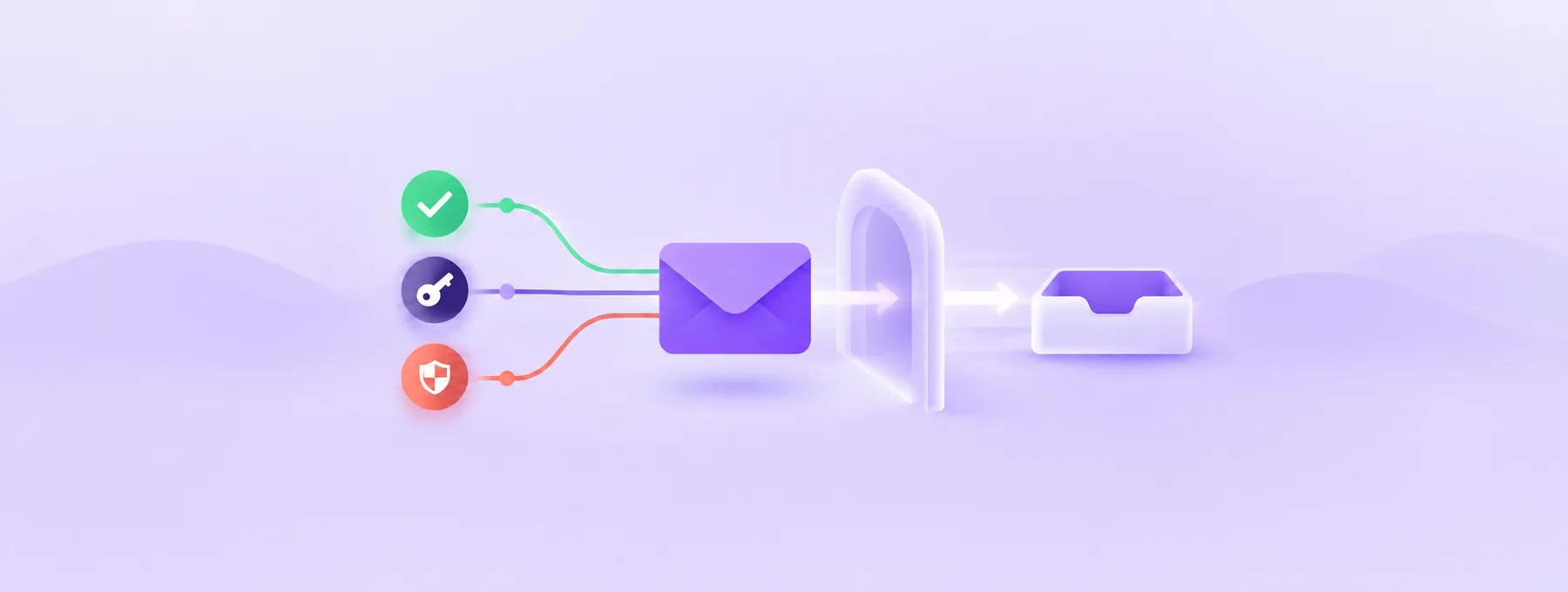
CAA records: choose which CAs may issue SSL for your domain
Without an applicable CAA policy, CAA does not restrict which certificate authority may issue SSL for your domain. Find your real CA, add the right records in cPanel or Cloudflare, and test them.
The short answer
A CAA record is a DNS record that lists which certificate authorities may issue SSL certificates for your domain; if no CAA policy applies after alias and parent lookups, CAA does not restrict the issuing CA. Find the CA behind your current certificate first, then add one record per CA, such as 0 issue "letsencrypt.org". Since 15 March 2026 CAs must validate DNSSEC on CAA lookups, so a broken DNSSEC setup now blocks issuance.

Reading options
On this page
- What a CAA record actually is
- Why CAA is worth five minutes of your time
- Before you start
- Step 1: Find out which CA issues your certificates today
- Step 2: Get the exact CAA identifier for each CA
- Step 3: Add the CAA records
- Getting issuewild right
- How to check it worked
- Troubleshooting
- When to ask for help
- The one message worth forwarding
- Reader questions
- Sources & further reading
A CAA record is a small DNS record that lists the certificate authorities (the companies that issue SSL certificates) allowed to issue certificates for your domain. If no CAA policy applies after following aliases and checking parent names, CAA does not restrict which public certificate authority may issue one; normal domain validation is still required. Adding one line such as 0 issue "letsencrypt.org" shrinks that list to the companies you actually use.
By default you have never told anyone which company may sign your padlock. cPanel's documentation puts it plainly: "If no CAA records exist for a domain, all CAs can issue certificates for that domain."
By the end of this guide you will know which certificate authority you use today, how to add the right CAA records in cPanel, Cloudflare or a plain zone file, how to check them with dig, and how to fix the errors that appear when a record is wrong.
What a CAA record actually is
Think of CAA as a guest list taped to your front door. Certificate authorities are the visitors. Before a well-behaved authority issues a certificate for your domain, it must read the list, and if its name is not on it, it has to walk away.
Every CAA record has three parts:
- Flags: a number, almost always
0. A value of128marks the record as "critical", which tells a CA it must refuse to issue if it does not understand the tag. You rarely need this. - Tag: what the record controls. The three you will use are
issue,issuewildandiodef. - Value: the CA's identifying domain name in quotes, such as
"letsencrypt.org", or a reporting address foriodef.
Here is what each tag does, based on RFC 8659:
issueauthorizes a CA to issue certificates for the name. If there is noissuewildrecord,issuealso covers wildcard certificates such as*.example.com.issuewildhas the same syntax asissuebut only applies to wildcard certificates, and when it is present it takes precedence overissuefor wildcards.iodefgives a URL, such asmailto:security@example.com, where a CA can report a request that broke your policy.
To block non-wildcard issuance, make 0 issue ";" the only issue entry in the applicable CAA record set. CAA permissions are additive: this empty value does not cancel other allow entries. It also blocks wildcards only if no issuewild entries authorize them.
How CAs find your record: tree climbing
When a CA checks shop.example.com, it looks for CAA records on shop.example.com first. If it finds none, it climbs one level to example.com, and keeps climbing until it finds a CAA record set or reaches the top. RFC 8659 describes this as climbing "the DNS name tree from the specified label up to, but not including, the DNS root".
Records on example.com also cover subdomains unless a closer CAA record set or an applicable CNAME-target policy takes precedence. Any CAA record set stops the climb, even one containing only iodef; an iodef-only set does not restrict issuance.
What about CNAME records?
RFC 8659 requires CAA lookups to follow aliases through the CA's DNS resolver. In practice, Let's Encrypt says "CAA checking follows CNAME redirects, just like all other DNS requests." Cloudflare's documentation adds that CAA records on a CNAME target also apply, and restrictive records on the target take precedence over your domain's records.
So if blog.example.com is a CNAME to a hosted platform, that platform's CAA records can decide the outcome.
What CAA does not do
CAA is checked only when a certificate is issued, and RFC 8659 says relying parties such as browsers "MUST NOT use CAA records as part of certificate validation". So a new CAA record will not break your current certificate. It will break the next renewal if you list the wrong CA.
Why CAA is worth five minutes of your time
CAA adds a check that you control. If someone tricks a CA that you never use into issuing a certificate for your domain, a CAA record that names only your real CA gives that other CA a clear reason to refuse.
There is also a 2026 change that makes CAA lookups stricter. At the time of writing (3 October 2026), the CA/Browser Forum Baseline Requirements, the rulebook public CAs follow, say that from 15 March 2026 "DNSSEC validation MUST be performed on all DNS queries associated with CAA record lookups performed by the Primary Network Perspective." The same table says DNSSEC validation errors such as SERVFAIL "MUST NOT be treated as permission to issue."
DNSSEC is a system that signs DNS answers so they cannot be faked. In practice: if your domain uses DNSSEC and it is broken, renewals now fail. Troubleshooting below shows how to spot it.
Before you start
- Access to the place your DNS is hosted. This is wherever your nameservers point: your hosting cPanel, Cloudflare, or your registrar. If you are not sure, our guide on connecting your domain with DNS records or nameservers explains how to find out.
- The name of the CA that issues your current certificate, and of any service that issues certificates for you (CDN, email platform, website builder). Step 1 shows how to find it.
- A terminal with `dig` and `openssl` for checking. If you do not have them, the online tools mentioned below and your control panel's SSL page still get you most of the way.
- A copy of your current DNS records. Take a screenshot of the zone or export it before you change anything. Deleting a CAA record is the rollback, so you want to know exactly what was there.
- About 15 minutes, plus DNS cache time for changes to show up.
Risk level: low for your live site, because existing certificates keep working. The real risk is a silent renewal failure weeks later if you forget a CA.
Step 1: Find out which CA issues your certificates today
Do this first. Skipping it is the easiest way to break your own renewals.
Check the issuer of your live certificate
This command connects to your site, asks for the certificate, and prints who issued it and when it expires.
openssl s_client -connect example.com:443 -servername example.com </dev/null 2>/dev/null | openssl x509 -noout -issuer -datesThe -servername option sets SNI, which tells a shared server which site you want. Look at the issuer= line. The organisation (the O = part) names the CA, for example Let's Encrypt, Google Trust Services, Sectigo or DigiCert.
Repeat for www.example.com and other important subdomains; they can use different CAs.
Check in cPanel
Go to cPanel > Home > Security > SSL/TLS Status. This page lists your domains and their certificate status, and View Certificate takes you to the certificate details in the SSL/TLS interface, where you can read the issuer.
Heads up: the CA used by AutoSSL, cPanel's automatic certificate feature, is chosen by your host and can change. Check the issuer on your real certificates rather than assuming.
If your site is behind Cloudflare
Visitors see Cloudflare's edge certificate. At the time of writing (3 October 2026), Cloudflare's CAA documentation shows it adding records for these CAs:
- Let's Encrypt, CAA value
letsencrypt.org - Google Trust Services, CAA value
pki.goog; cansignhttpexchanges=yes - SSL.com, CAA value
ssl.com - Sectigo, CAA value
sectigo.com
With Universal SSL, its free shared certificate, Cloudflare adds these records for you once you create any CAA record (see Option B below).
Make a full list
Write down every CA that issues for your domain. Common extras people forget:
- The certificate on your origin server behind a CDN, if it comes from a public CA.
- A store, help desk or landing page on a subdomain run by another company.
Made-up example: Sara runs a small bakery site on cPanel. She reads that "everyone uses Let's Encrypt" and adds 0 issue "letsencrypt.org". Her host's AutoSSL actually issues through a different CA. Nothing happens for weeks, then the next renewal fails and her padlock turns into a warning. Two minutes with the openssl command above would have prevented it.
Step 2: Get the exact CAA identifier for each CA
The value in a CAA record is not the CA's brand name. It is a specific domain that each CA publishes. Always copy it from the CA's own documentation. At the time of writing (3 October 2026), these are the values:
- Let's Encrypt:
letsencrypt.org - Google Trust Services:
pki.goog - Sectigo:
sectigo.com(Sectigo also recognizestrust-provider.comandusertrust.com) - DigiCert:
digicert.com - SSL.com:
ssl.com(as shown in Cloudflare's CAA documentation)
Quick tip: if your CA is not on this list, search its support site for "CAA". Each CA above publishes its value on a help page, and yours almost certainly does too.
Let's Encrypt also supports optional validationmethods= and accounturi= parameters that limit validation methods or ACME accounts. They are easy to get wrong, so start without them.
Step 3: Add the CAA records
The records below are a typical policy for a site that uses only Let's Encrypt, with violation reports going to an email address. Replace the CA value and the email with your own, and add one issue line per CA from your list.
example.com.  3600  IN  CAA  0 issue "letsencrypt.org"
example.com.  3600  IN  CAA  0 iodef "mailto:security@example.com"
The iodef line is optional. It gives CAs a mailto: address (or an https:// URL) for reports about requests your policy blocked. Use a shared mailbox rather than one person's inbox, and treat it as a bonus signal, never your only monitoring.
Option A: cPanel Zone Editor
Back up first: in the Zone Editor, take a screenshot of the existing records for the domain so you can restore them.
- Go to cPanel > Home > Domains > Zone Editor.
- Click Manage next to your domain.
- Click the arrow next to Add Record and choose CAA from the menu.
- Enter your domain name in the name field, for example
example.com.. - Set Issuer Critical Flag to
0(Non-critical). - Set Tag to
issue. - In Value, enter the CA's domain, for example
letsencrypt.org. - Click Save Record.
Repeat for each CA on your list. For a reporting address, add another CAA record with Tag set to iodef and enter the full address, for example mailto:security@example.com, in Value.
You should now see the new CAA rows in the record list. To undo a record, click Delete next to it and then Continue in the confirmation box.
Heads up: cPanel shows the critical flag as 0 or 1. Leave it at 0.
Option B: Cloudflare dashboard
- In the Cloudflare dashboard, open your domain and go to the DNS Records page.
- Select Add record.
- Set Type to CAA.
- Enter your domain in Name, for example
example.com. - Choose the Tag that matches
issue,issuewildoriodef. - Enter the CA domain name, for example
letsencrypt.org. - Select Save, then repeat for each CA.
Here is the part that confuses people. Cloudflare's documentation says it "adds CAA records automatically when you have Universal SSL and add any CAA records to your zone". Those automatic records cover its partner CAs, for both issue and issuewild, so your free edge certificate keeps renewing.
That automatic help does not apply to Advanced Certificate Manager. Cloudflare says advanced certificates "are dedicated (not shared), so Cloudflare does not add CAA records automatically for them." If you use advanced certificates, add records for the CAs you selected yourself.
If your origin server has its own public certificate, for example from AutoSSL, its CA must be in your CAA list too. Cloudflare will only add its own partners.
Option C: a zone file or a registrar's DNS page
If you run your own nameserver with BIND or a similar server, CAA records use the format from RFC 8659. This example authorizes two CAs for normal certificates, allows only one of them for wildcards, blocks all certificates for one subdomain, and adds an email report address.
example.com.          3600  IN  CAA  0 issue "letsencrypt.org"
example.com.          3600  IN  CAA  0 issue "sectigo.com"
example.com.          3600  IN  CAA  0 issuewild "sectigo.com"
example.com.          3600  IN  CAA  0 iodef "mailto:security@example.com"
internal.example.com. 3600  IN  CAA  0 issue ";"
Registrar DNS pages usually ask for the parts in separate boxes (flags 0, tag issue, value letsencrypt.org). Where one combined value is needed, Sectigo gives this generic format:
0 issue "sectigo.com"Quick tip: SSLMate's free CAA Record Helper builds records for you. You tick the CAs you use, choose whether each may issue wildcards, add an optional report address, and it outputs generic, standard zone file, legacy zone file, tinydns and dnsmasq formats.
Getting issuewild right
Wildcard certificates (*.example.com) are where CAA trips people up most. The rules:
- If you have only
issuerecords, the same CAs may issue both normal and wildcard certificates. - As soon as you add any
issuewildrecord, only the CAs inissuewildrecords may issue wildcards. Yourissuelist no longer applies to wildcards. - To allow normal certificates but block all wildcards, keep the desired
issueentries and make0 issuewild ";"the onlyissuewildentry in the applicable record set.
Check platform requirements first: some services need wildcard certificates. Cloudflare Universal SSL automatically publishes issuewild allow entries, so adding 0 issuewild ";" alongside them does not block those CAs. These automatic entries are visible in DNS queries, even though they do not appear in the dashboard.
How to check it worked
DNS changes can take time to reach every resolver. If you want to understand why, our guide to DNS propagation explains caching and TTL in plain words.
Check with dig
This command asks for the CAA records on your domain and prints a short answer.
dig CAA example.com +shortYou should see one line per record, like this:
0 issue "letsencrypt.org"
0 iodef "mailto:security@example.com"
If the short output is empty, rerun without +short and check for DNS errors before concluding that no records were returned. For a subdomain, also check its parents and any CNAME target.
This command asks your authoritative nameserver directly, so you can confirm the change before caches catch up. Replace ns1.example.net with one of your real nameservers.
dig CAA example.com @ns1.example.net +shortCheck DNSSEC if you use it
Ask a DNSSEC-validating resolver, such as Cloudflare's 1.1.1.1:
dig @1.1.1.1 CAA example.com +dnssecFor a correctly signed domain, look for NOERROR and the ad flag, which indicates that the resolver validated the response. +dnssec requests DNSSEC data; it does not make dig validate signatures. NOERROR alone is not proof of valid DNSSEC. Unsigned domains normally lack ad and are not required to enable DNSSEC to obtain a certificate.
For a visual check, Let's Encrypt recommends the DNSSEC debugger at dnsviz.net.
Test a real issuance
The final proof is a renewal. Reissue the certificate if your panel allows it, or wait for the next automatic renewal, then rerun the openssl command from Step 1. The dates should show a fresh certificate from the CA you listed. If you use an ACME client yourself, our post on automating SSL renewal covers how to run a safe test.
Troubleshooting
Issuance or renewal fails with a CAA error
Symptom: a certificate request or renewal stops with an error that mentions CAA.
Possible cause: the applicable CAA policy does not authorize the CA or certificate type requested. Check the failed order, ACME client configuration or AutoSSL log to identify the CA attempting issuance. The issuer of the current live certificate may be different, especially if your provider has changed CAs.
Fix: authorize the intended CA in the applicable issue records, or in issuewild when separate wildcard rules apply. Check any parameters and DNS errors before retrying. Preserve other restrictions unless you deliberately want to change the policy; adding issue alone will not fix a conflicting issuewild policy.
Renewal fails only for one subdomain
Symptom: example.com renews fine, but shop.example.com fails with a CAA error.
Cause: a CAA record on the subdomain overrides the parent, or the subdomain is a CNAME to a service whose CAA records do not include your CA.
Fix: run dig CAA shop.example.com +short. If it returns records, add your CA there or delete them so the parent's policy applies. If the subdomain is a CNAME, ask the platform which CA it uses.
SERVFAIL on the CAA lookup
Symptom: the CA reports a DNS problem or SERVFAIL, and dig CAA example.com shows status: SERVFAIL.
Cause: Let's Encrypt says that SERVFAIL "most often" means a DNSSEC validation failure. Since 15 March 2026 CAs must validate DNSSEC on CAA lookups and must not treat such errors as permission to issue.
Fix: test the domain at dnsviz.net, which Let's Encrypt recommends. One cause Let's Encrypt describes is a nameserver that generates incorrect signatures for empty responses, which are common with CAA; it names PowerDNS 4.0.3 and below as an example. Fix the DNSSEC chain or ask your DNS provider to.
Timeouts or NOTIMP errors
Symptom: CAA lookups time out, or your nameserver answers NOTIMP.
Cause and fix: Let's Encrypt says timeouts usually come from "a misconfigured firewall in front of it that drops DNS queries with unknown qtypes", and that a nameserver should return NOERROR with an empty answer instead of NOTIMP. Send the error to whoever runs your nameservers.
Your DNS provider has no CAA option
Symptom: CAA is missing from the record type menu.
Cause: the provider's DNS editor does not support the record type.
Fix: ask the provider to add support, or move DNS to a provider that supports it. If you run an old server yourself, SSLMate's helper can output the legacy RFC 3597 format.
A typo in the tag or value
Symptom: issuance is blocked, or not restricted at all.
Cause: a misspelled tag such as isue is unknown to the CA, so it does not restrict anything. A misspelled value such as letsencrypt.com restricts issuance to a CA that does not exist. If the misspelled tag was marked critical (128), CAs must refuse to issue at all.
Fix: compare every record from dig CAA example.com +short against the identifiers in Step 2, letter by letter.
Forgetting the CDN or a third party
Symptom: your origin certificate renews, but a CDN, website builder or help desk subdomain stops getting certificates.
Fix: add an issue record for that service's CA. Cloudflare Universal SSL adds its own records; other services generally do not.
When to ask for help
Ask your host or a developer before you use accounturi, validationmethods or the critical flag. A mistake there blocks every renewal.
If you already set up email authentication from our SPF, DKIM and DMARC guide, CAA is a natural next step: both are short DNS records that tell the world who is allowed to act for your domain.
The one message worth forwarding
Copy this to your developer or host:
"Hi, I would like to add CAA records to example.com so that only our certificate authorities can issue SSL certificates. Can you confirm which CA issues the certificates on our server and on any CDN or third-party subdomains? Once we have the full list, I plan to add one 0 issue record per CA plus 0 iodef "mailto:security@example.com", then check with dig CAA example.com +short and run a test renewal. Please also confirm that DNSSEC on the domain validates correctly, because CAs now refuse to issue when DNSSEC lookups fail."
The takeaway: find your real CA first, then add the CAA record, never the other way round.
Related practical guide: Add CAA in cPanel and verify the AutoSSL renewal path
Reader questions
Will adding a CAA record break my current SSL certificate?
No. CAA is only checked when a certificate is issued, and relying parties such as browsers must not use CAA when validating certificates. A wrong record breaks the next issuance or renewal, so list every CA you use.
What happens if my domain has no CAA record?
A parent name or CNAME target may still supply the applicable CAA policy. If no policy applies after those lookups, CAA does not restrict the issuing CA; normal domain validation is still required.
Do I need a separate CAA record for www and other subdomains?
Usually not. Records on example.com also cover subdomains unless a closer CAA record set or an applicable CNAME-target policy takes precedence. A child set replaces the inherited policy, so an iodef-only child set can remove the parent's issuance restrictions.
What is the CAA value for Let's Encrypt?
Let's Encrypt's identifying domain for CAA is letsencrypt.org, so the record is 0 issue "letsencrypt.org". Other CAs publish their own values, such as pki.goog for Google Trust Services, sectigo.com for Sectigo and digicert.com for DigiCert.
Does Cloudflare add CAA records for me?
If you use Universal SSL and add any CAA record, Cloudflare automatically adds records for the CAs it needs. It does not do this for Advanced Certificate Manager certificates, so add those CAs yourself.
What does the iodef tag do?
It gives certificate authorities a mailto: address or https URL where they can report certificate requests that break your CAA policy. It is optional and does not change who may issue.
Why does my certificate renewal fail with SERVFAIL on the CAA check?
SERVFAIL most often means DNSSEC validation failed. Since 15 March 2026 CAs must validate DNSSEC on CAA lookups and must not treat such errors as permission to issue, so fix the DNSSEC chain, for example after checking it at dnsviz.net.
Was this guide helpful?
Help us make the next update better.
Sources & further reading
- RFC 8659: DNS Certification Authority Authorization (CAA) Resource Record
- Let's Encrypt: Certificate Authority Authorization (CAA)
- CA/Browser Forum: TLS Baseline Requirements
- cPanel Docs: Zone Editor
- cPanel Docs: SSL/TLS Status
- Cloudflare Docs: CAA records
- Google Trust Services: Configure CAA
- Sectigo Knowledge Base: CAA record
- DigiCert Docs: Manage DNS CAA records
- SSLMate: CAA Record Helper
- ISC BIND 9: DNSSEC Guide
- Cloudflare 1.1.1.1: DNSSEC FAQ
Originally published . About our editorial updates.