Does your DNS provider support DS automation? Test CDS and CDNSKEY
Check with a few dig commands whether your DNS provider publishes CDS and CDNSKEY records consistently, so DS updates could happen without copy and paste.
The short answer
Your DNS provider supports DS automation on its side if it publishes matching CDS and CDNSKEY records on every authoritative nameserver. You can check this with dig by querying each nameserver with +norecurse and comparing the CDS with the DS at the parent. Whether your registry or registrar reads those records is a separate question that only their own documentation answers. At the time of writing (5 November 2026), ICANN's public comment on DS automation closes on 23 November 2026 at 23:59 UTC.
Reading options
On this page
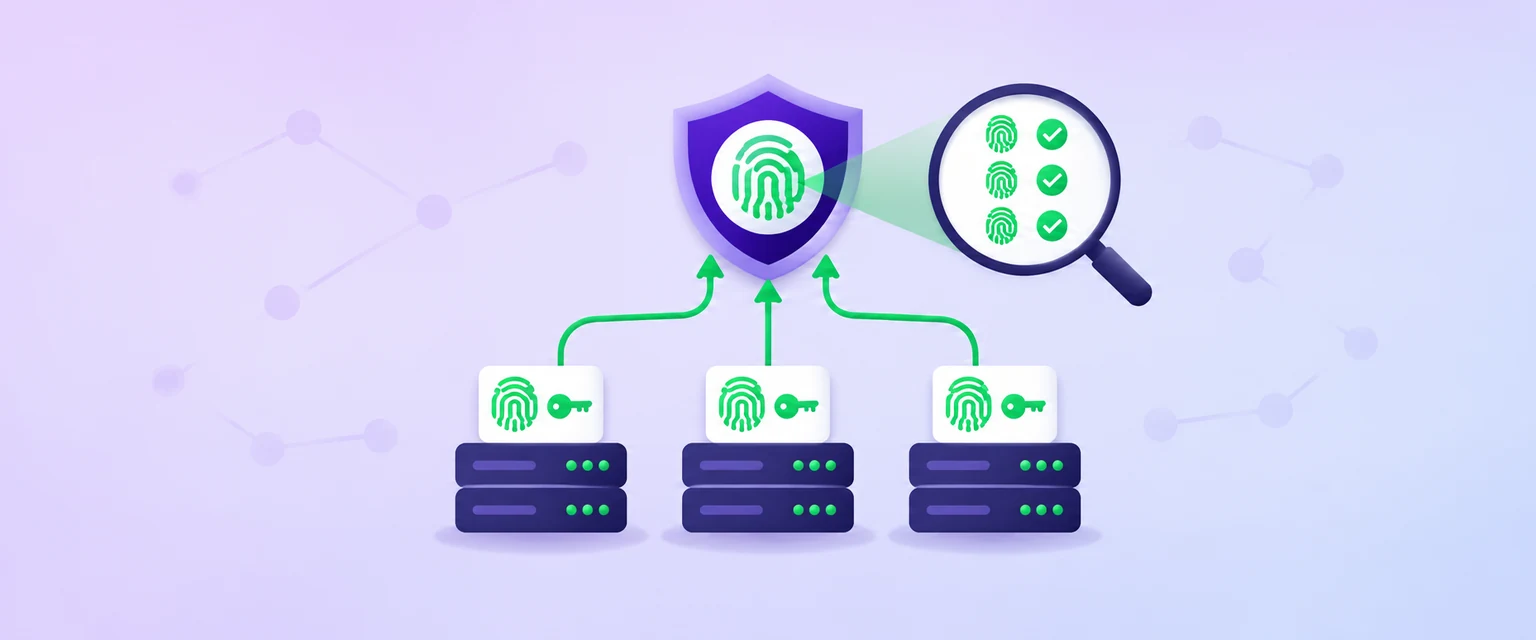
Your DNS provider supports DS automation on its side if it publishes CDS and CDNSKEY records for your domain, and the same ones on every nameserver. You can see this in about ten minutes with dig. What you cannot see from a terminal is whether your registry or registrar actually reads those records yet.
Here is why this is worth a look now. At the time of writing (5 November 2026), ICANN has an open public comment on a security and stability assessment of DNSSEC DS automation, and it closes on 23 November 2026 at 23:59 UTC. ICANN says the outcome of the assessment forms the basis for a Fast-Track Registry Services Evaluation Process (RSEP) for DS record automation, provided no security and stability issues are identified. If that goes through, copying DS records into registrar forms could slowly fade away.
By the end of this guide you will know what your provider publishes today, whether it is consistent and healthy, what a dangerous "delete" signal looks like, and what to do if things disagree.
What CDS and CDNSKEY actually are
A DS record (Delegation Signer) sits in the parent zone, for example the .com registry, and points to the key that signs your zone. It is the link that lets resolvers trust your DNSSEC signatures. Today you usually copy it by hand from your DNS provider into your registrar.
RFC 7344 (September 2014) created two record types for the child zone, which is your domain. In the words of the RFC, CDS records "are used to convey, from one zone to its Parent, the desired contents of the zone's DS resource record set." CDNSKEY does the same job, but it carries the key itself instead of a digest of it.
Think of it like a forwarding note on your front door. The post office (the parent) does not need you to visit the counter. It can read the note on your door, check that it is in your handwriting (your DNSSEC signature), and update its records. CDS is that note.
Why this matters: when your provider rolls a key, it updates CDS by itself. If the parent reads it, the DS follows without anyone pasting hex strings into a registrar.
A few rules from the RFCs shape everything below:
- If neither
CDSnorCDNSKEYis present, RFC 7344 says the parent takes no action. No records means no change. - If you publish both types, RFC 7344 says they "MUST match in content."
- RFC 7344 says a CDS record must be signed by a key that is in both your current DNSKEY set and the current DS set, unless the parent uses it for initial enrollment. So for normal updates, your existing DNSSEC chain vouches for the change.
- RFC 9975 (May 2026) says parents must query all of your nameservers and every IP address of each one, and must abort if the answers are inconsistent.
- RFC 10026 (July 2026, Best Current Practice) says DNS operators "MUST publish both CDNSKEY and CDS records (unless the parent's preference is known)."
Heads up: the ICANN page does not say which registries or registrars support CDS today. I will not claim any TLD or registrar does. This guide tests your side; check your registry or registrar's own documentation for theirs.
Before you start
This is a read-only check. Nothing below changes your DNS or registrar settings.
- A computer with
dig, the DNS lookup tool that ships with BIND 9. - The domain name you want to test. I use
example.comeverywhere, so swap in your own. - Your registrar login, only to compare what its dashboard shows.
- About 10 to 15 minutes.
- Risk level: none for the checks. Acting on the results is the risky part, and I will say where to stop.
Quick tip: if you have not set up DNSSEC yet, start with my guide on how to enable DNSSEC with Cloudflare and add the DS record at your registrar. Come back here once the domain is signed.
Test your provider's DS automation, step by step
All the dig options used here come from the BIND 9 dig manual. In short, +short prints a terse answer, +norecurse turns off the "recursion desired" bit so the server answers only from its own data, +dnssec asks for DNSSEC records by setting the DO bit, and @server picks the name server to ask.
Step 1: List your authoritative nameservers
Authoritative nameservers hold the real copy of your zone. You need the full list, because parents check every one.
This command asks for the NS records of your domain and prints only the names.
dig NS example.com +shortYou should see two or more hostnames. This is made-up example output:
ns1.example.net.
ns2.example.org.
Write these down, and note whether they end in your own domain (in-domain, like ns1.example.com) or another domain (out-of-domain, like ns1.example.net). That matters in Step 7.
Step 2: Check the DS at the parent and back it up
This command asks your normal resolver for the DS record, which comes from the parent zone.
dig DS example.com +shortMade-up example output:
12345 13 2 3A1F5C7E9B2D4F6A8C0E1B3D5F7A9C2E4B6D8F0A1C3E5B7D9F2A4C6E 8B0D1F3AThe four fields, per RFC 4034, are the key tag (a short number that identifies the key), the algorithm number, the digest type (value 1 is SHA-1), and the digest itself in hexadecimal. The key tag is the easiest field to compare by eye.
This command saves that answer to a dated file, your backup if anything ever needs to be put back by hand.
dig DS example.com +short > "ds-backup-example.com-$(date +%F).txt"Empty output means there is no DS at the parent. See the troubleshooting section before going further.
Step 3: Check the DNSKEY at the child
This command asks for your zone's public keys and their signatures.
dig DNSKEY example.com +dnssec +multilineLook in the answer section for DNSKEY records and an RRSIG record next to them. Per RFC 4034, a flags value of 257 marks a key with the Secure Entry Point bit set, which is usually the key your DS points to. A value of 256 is a plain zone key. With +multiline, dig adds human-readable comments, and for DNSKEY records these include the key id, which is the key tag.
Made-up example output, trimmed:
example.com. 3600 IN DNSKEY 257 3 13 (
                mdsswUyr3DPW132mOi8V9xESWE8jTo0dxCjjnopKl+GqJxpVXckHAeF+
                KkxLbxILfDLUT0rAK9iUzy1L53eKGQ== ) ; KSK; alg = ECDSAP256SHA256 ; key id = 12345
What you want: the DS key tag from Step 2 shows up here as a DNSKEY key id. That is a good sign that the DS points to a key you publish.
Step 4: Query CDS and CDNSKEY on every nameserver
This is the heart of the test. RFC 9975 tells parents to ask every nameserver on every IP address, so you should too. This loop finds each nameserver, looks up its IPv4 and IPv6 addresses, and asks each address directly for CDS and CDNSKEY, without recursion.
DOMAIN=example.com
for ns in $(dig NS "$DOMAIN" +short); do
  for ip in $(dig A "$ns" +short) $(dig AAAA "$ns" +short); do
    echo "== $ns ($ip) CDS"
    dig @"$ip" CDS "$DOMAIN" +norecurse +short
    echo "== $ns ($ip) CDNSKEY"
    dig @"$ip" CDNSKEY "$DOMAIN" +norecurse +short
  done
done
Made-up example output for a healthy setup:
== ns1.example.net. (192.0.2.10) CDS
12345 13 2 3A1F5C7E9B2D4F6A8C0E1B3D5F7A9C2E4B6D8F0A1C3E5B7D9F2A4C6E 8B0D1F3A
== ns1.example.net. (192.0.2.10) CDNSKEY
257 3 13 mdsswUyr3DPW132mOi8V9xESWE8jTo0dxCjjnopKl+GqJxpVXckHAeF+ KkxLbxILfDLUT0rAK9iUzy1L53eKGQ==
== ns2.example.org. (203.0.113.25) CDS
12345 13 2 3A1F5C7E9B2D4F6A8C0E1B3D5F7A9C2E4B6D8F0A1C3E5B7D9F2A4C6E 8B0D1F3A
== ns2.example.org. (203.0.113.25) CDNSKEY
257 3 13 mdsswUyr3DPW132mOi8V9xESWE8jTo0dxCjjnopKl+GqJxpVXckHAeF+ KkxLbxILfDLUT0rAK9iUzy1L53eKGQ==
Read it like a parent would:
- Every server returns the same CDS and the same CDNSKEY. Good.
- The CDS and the CDNSKEY point to the same key (key tag 12345 and the same algorithm). RFC 9975 checks that each key referenced in any answer is referenced in all the others.
- Empty output on every server means your provider does not publish these records. That is not an error. Under RFC 7344 the parent simply does nothing.
Heads up: if only the IPv6 queries time out, see the troubleshooting section before blaming the provider.
Step 5: Compare CDS with the DS at the parent
Now compare what your provider wants (CDS) with what the parent has (DS). This command sorts both and shows only the differences.
diff <(dig DS example.com +short | sort) <(dig @ns1.example.net CDS example.com +norecurse +short | sort) && echo "CDS matches DS"Replace ns1.example.net with one of your own nameservers from Step 1. You should see one of three results:
CDS matches DS: healthy and idle. The parent already has what your provider asks for.- CDS adds a new key tag and keeps the old one: often a key rollover in progress.
- CDS drops the old key tag: the provider wants a full switch to a new key. Check that the new key tag is in your DNSKEY set from Step 3.
Quick tip: compare key tags and algorithms first. Your provider might list more digest types in CDS than the registry stores in DS. RFC 9975 only checks CDS records with digest types marked "MUST" for DNSSEC delegation, so a digest type mismatch alone is not always a problem. The space inside the digest is normal: dig splits long hex fields into 56-character chunks by default, the same way for DS and CDS.
Made-up example: Priya runs a shop on example.com. Step 5 shows a new key tag 54321 in CDS next to the old 12345, while DS only has 12345. Her provider says a key rollover started yesterday. That is a normal mid-rollover state. She saves the output, touches nothing at the registrar, and checks again in a few days.
Step 6: Learn the delete signal so you never send it by accident
RFC 8078 (March 2017) defines a special CDS and CDNSKEY that means "please remove my DS record entirely." The RRset must contain one record only, with these exact fields:
example.com. 3600 IN CDS 0 0 0 0
example.com. 3600 IN CDNSKEY 0 3 0 0
Algorithm 0 here means "remove the DS RRset." Per RFC 8078, the delete record is signed in the same way as a normal CDS, and once the parent verifies it, "the parent MUST remove the DS RRset." Your domain then stops being validated by DNSSEC.
Why this matters: RFC 8078 warns that "Turning off DNSSEC reduces the security of the domain," and RFC 10026 adds that removing a DS can disrupt services such as DANE. If you see 0 0 0 0 in Step 4 and did not ask for it, contact your DNS provider right away.
If you are moving to a new DNS provider, plan the DNSSEC handover first. My guide on domain transfers, auth codes and the 60-day lock covers the registrar side of a move.
Step 7: Check bootstrapping signals for out-of-domain nameservers
Everything above covers updates to an existing DS. What about the first DS, when there is no chain of trust yet? RFC 7344 advises against using plain CDS for that. RFC 8078 describes options including "accept after delay" (the parent watches the CDS over time from several places) and "accept with challenge" (you prove control by publishing a record the parent asks for).
RFC 9615 (July 2024) adds authenticated bootstrapping. The DNS operator copies your CDS and CDNSKEY into a special signalling name under its own signed nameserver domain. The name looks like _dsboot.<your domain>._signal.<nameserver hostname>.
This command checks for that signal under one of your out-of-domain nameservers.
dig _dsboot.example.com._signal.ns1.example.net CDS +dnssecRepeat it for each out-of-domain nameserver, and swap CDS for CDNSKEY to check that type too. Per RFC 9615, the contents must match the CDS and CDNSKEY at your domain's apex exactly, and the signalling zone must be signed so the parent can validate it.
Two RFC 9615 limits matter:
- At least one nameserver must be out-of-domain. If all of yours are in-domain (like
ns1.example.comforexample.com), parents ignore those signals, because "in-domain signaling names do not have a chain of trust at bootstrapping time." - An empty answer means your provider does not publish RFC 9615 signals. Nothing is broken.
What to do if CDS and DS disagree
First, the rule that saves people: change nothing at the registrar until you have a verified plan and a saved copy of the current DS record from Step 2. A wrong DS at the parent can make your whole domain fail to resolve for validating resolvers.
Then work through these questions from the RFCs.
- Do all nameservers agree with each other? If not, RFC 9975 says a parent must abort when the answers are inconsistent, so automation will not act anyway. Fix the inconsistency with your provider first.
- Do CDS and CDNSKEY reference the same keys? RFC 7344 says they must match in content. If they do not, report it to your provider.
- Is every key in CDS also in your DNSKEY set (Step 3)? If CDS points to a key that is not published, the parent's checks should refuse it, because RFC 7344 says an update must not break the current delegation.
- Is a rollover in progress? Ask your provider or check its dashboard. RFC 10026 expects the child to wait for propagation to all nameservers and for the DS TTL to pass before moving to the next step, so a gap of hours or days can be normal.
- Does your parent read CDS at all? If CDS has been different from DS for weeks and your provider says the rollover is waiting, your registry or registrar may not support CDS. Then the update must go through the registrar by hand.
If you need a manual fix, you are not stuck. RFC 9975 says parents should keep accepting authenticated out-of-band DS updates from the domain owner, and RFC 10026 says registries and registrars "MUST provide another (e.g., manual) channel for DS maintenance." Paste exactly the values your provider gives you, follow its rollover plan, and re-run Steps 2 to 5 afterwards.
How to check it worked
After enabling CDS, finishing a rollover or fixing a mismatch, run these checks:
dig DS example.com +shortreturns a DS whose key tag matches a 257 key fromdig DNSKEY example.com +dnssec +multiline.- The Step 4 loop shows identical CDS and identical CDNSKEY answers on every IP of every nameserver.
- The Step 5
diffprintsCDS matches DS. That is the healthy, idle state. - There is no
0 0 0 0CDS and no0 3 0 0CDNSKEY, unless you deliberately asked to remove DNSSEC. - For out-of-domain nameservers, the
_dsbootquery either returns the same records as your apex or nothing at all.
If your site breaks after a DS change, see DNSSEC failures and SERVFAIL errors for how a broken chain looks to visitors.
Troubleshooting
Every CDS and CDNSKEY query returns nothing
Symptom: Step 4 prints only the == lines. Likely cause: your provider does not publish CDS or CDNSKEY, or the zone is not signed. Fix: nothing is broken. Per RFC 7344, no records means the parent takes no action. Ask your provider whether it plans to publish them, since RFC 10026 recommends publishing both.
One nameserver returns different records from the others
Symptom: ns1 shows key tag 12345 and ns2 shows 54321. Likely cause: the zone has not reached every server yet, or two DNS providers sign separately. Fix: wait and re-run the loop. RFC 9975 says parents abort while answers are inconsistent and may retry later. With two providers, ask both how they coordinate keys.
CDS and CDNSKEY point to different keys
Symptom: CDS has key tag 12345 but the CDNSKEY is a different key. Likely cause: a provider bug or a half-finished change. Fix: report it with your saved output. RFC 7344 says both RRsets must match in content, and RFC 9975 checks that each key appears in all answers, so a parent should ignore this state.
CDS shows 0 0 0 0
Symptom: Step 4 returns 0 0 0 0 for CDS or 0 3 0 0 for CDNSKEY. Likely cause: a request to remove the DS, which is what the RFC 8078 delete signal expresses. Fix: if you did not mean it, ask your provider at once to remove it and republish your real CDS. Keep your Step 2 backup ready in case the parent already removed the DS.
IPv6 queries time out but IPv4 works
Symptom: only the IPv6 queries time out. Likely cause: your test machine has no IPv6 route. Fix: run the loop from a host with IPv6. RFC 9975 lets parents query from another network vantage point, so do the same before blaming the provider.
The DS at the parent is empty but the provider shows DNSSEC as on
Symptom: dig DS example.com +short returns nothing, while CDS is published. Likely cause: the DS was never added at the registrar, or it was removed. Fix: RFC 7344 advises against using CDS alone for a first DS. Your options are the registrar's manual DS form, or RFC 9615 bootstrapping if your provider publishes _dsboot signals and your parent supports it.
Pro tips and when to ask for help
- Run the Step 4 loop after every key rollover your provider announces.
- Keep dated copies of your DS output for a quick manual rollback.
- RFC 10026 suggests parents lower the DS TTL to 5 to 15 minutes after publishing new records, for fast rollback, so a short DS TTL after a change is expected.
- Ask your DNS provider when nameservers disagree or a delete signal appears. Ask your registrar when CDS has differed from DS for weeks, to learn whether they read CDS at all.
Optional: send a public comment to ICANN before 23 November 2026
At the time of writing (5 November 2026), the ICANN proceeding opened on 12 October 2026 and closes on 23 November 2026 at 23:59 UTC, with the report due on 7 December 2026. It asks whether the assessment finds the right security and stability issues, and whether the proposed fixes are sufficient, proportionate and implementable.
To take part, open the ICANN public comment page for DNSSEC DS automation, read the assessment PDF and the submission guidelines linked there, sign in with an ICANN Account, and use the Provide Your Input form. This is general information, not legal advice.
The one message worth forwarding
Send this to your DNS provider or registrar:
"Hi, I tested DNSSEC DS automation for example.com. Our nameservers are [list from dig NS]. The DS at the parent is [paste]. CDS and CDNSKEY on every nameserver are [same, or different: paste]. Can you confirm whether you publish CDS and CDNSKEY consistently on all nameservers, whether you publish RFC 9615 _dsboot signals, and whether our registry or registrar reads CDS today? Please do not change the DS until we agree a plan. I have a backup of the current DS record."
If CDS matches DS on every nameserver, your side is ready, and the only open question is whether your parent reads it.
Reader questions
What is the difference between CDS and DS?
DS lives in the parent zone, such as the registry, and points to your signing key. CDS lives in your own zone and tells the parent what you want the DS to contain, as defined in RFC 7344.
Does my registrar read CDS records automatically?
It depends on the registry and registrar, and the ICANN public comment page does not list which ones do. Check your registry or registrar's own documentation, or ask their support directly.
Is it a problem if my provider publishes no CDS records?
No. Under RFC 7344, if neither CDS nor CDNSKEY is present the parent takes no action, so your DS stays as it is and you keep updating it by hand.
What does CDS 0 0 0 0 mean?
It is the delete signal from RFC 8078, paired with CDNSKEY 0 3 0 0. A parent that accepts it must remove your DS record, which turns off DNSSEC validation for the domain.
Why must every nameserver return the same CDS?
RFC 9975 says a parent must query all nameservers and every IP address of each one, and must abort if the answers are inconsistent. One inconsistent server is enough to stop automation.
Can CDS set up DNSSEC for the first time?
RFC 7344 advises against using plain CDS for the first DS. RFC 8078 describes options including accept after delay and accept with challenge, and RFC 9615 adds authenticated bootstrapping through signalling records, which needs at least one out-of-domain nameserver.
Can I still update the DS manually if automation exists?
Yes. RFC 9975 says parents should keep accepting authenticated out-of-band updates from the domain owner, and RFC 10026 says registries and registrars must provide another channel, such as a manual one, for DS maintenance.
Was this guide helpful?
Help us make the next update better.
Sources & further reading
- ICANN public comment: DNSSEC DS automation security and stability assessment
- RFC 7344: Automating DNSSEC Delegation Trust Maintenance
- RFC 8078: Managing DS Records from the Parent via CDS/CDNSKEY
- RFC 9615: Automatic DNSSEC Bootstrapping Using Authenticated Signals from the Zone's Operator
- RFC 9975: Clarifications on CDS/CDNSKEY and CSYNC Consistency
- RFC 10026: Operational Recommendations for DNSSEC DS Automation
- RFC 4034: Resource Records for the DNS Security Extensions
- BIND 9 manual pages (dig)
Originally published . About our editorial updates.