Rackoona VPS for Remote Work: Linux SSH or Windows RDP?
Choose a remote development setup by the work you need to do, then check access, licensing, backups and recovery before moving your projects.
The short answer
Use a Linux VPS with SSH for command-line development and remote builds. Choose a Windows desktop only when your workflow requires its applications or graphical interface. Confirm the exact Rackoona plan, region, Windows licensing and backup arrangements before ordering.
Reading options
On this page
- Decide whether you need a terminal or a desktop
- Check the exact Rackoona offer
- Set up a Linux development workspace
- Use Windows RDP with controlled access
- Separate development, production and backups
- Run a trial before moving the whole workflow
- Before you commit
- Sources
- Reader questions
- Sources & further reading
Before you start
A clear development workload, an account with the chosen provider, and a secure recovery method before changing server access.
A remote server can keep a development environment available when you move between computers. It can also become a frustrating extra dependency if the operating system, network latency or recovery plan is wrong.
Rackoona advertises VPS, RDP and dedicated-server services. That tells you which product categories to investigate; it does not establish which configuration will suit your project. Start with the work you want to run, then check the details of the actual offer.
This guide covers a practical evaluation and setup process. It does not announce a new Hostlelo–Rackoona agreement or promise a particular price, location or performance level.
Decide whether you need a terminal or a desktop
Choose Linux with SSH when most of the work happens in a terminal: Git, build tools, Docker, a web application or a background development service. Your editor can remain on your laptop while the tools run on the server.
Consider Windows with Remote Desktop when you need Windows-specific software or a graphical workspace. Budget for the operating system and your applications as well as CPU, memory and storage. A graphical session adds overhead, and an application's licence may have separate rules for remote or hosted use.
Keep the work local when you need dependable offline access, a very low-latency graphical experience or hardware that the proposed server does not offer. A remote machine is useful when it solves a specific problem.
Check the exact Rackoona offer
Rackoona's public VPS page describes KVM virtualization, root or administrator access, a dedicated IPv4 address, and Linux and Windows options. Treat these as advertised capabilities, then confirm what the selected plan includes at checkout or with support.
Before paying, record:
- The vCPU allocation, memory, usable disk space and transfer allowance.
- The available operating-system image and whether you can reinstall it.
- The actual deployment region, rather than a location mentioned elsewhere on the website.
- Whether the price includes the appropriate Windows licence, where relevant.
- How console access, snapshots, backups and restoration work.
- Which tasks are managed by the provider and which remain your responsibility.
- The renewal amount, billing period and cancellation terms.
Do not size a server from the processor brand alone. Measure your application's normal memory use, build-time peaks and disk growth. Our VPS sizing guide explains how to turn a workload into a starting configuration.
Set up a Linux development workspace
Before migrating a project, make sure you can connect from a terminal using the intended account and SSH key. Keep a separate provider-console recovery route available while testing access changes.
Create an everyday development account with only the privileges it needs. Update the operating system, install the project's runtime from its official instructions, and put the project under version control. Keep credentials outside the repository.
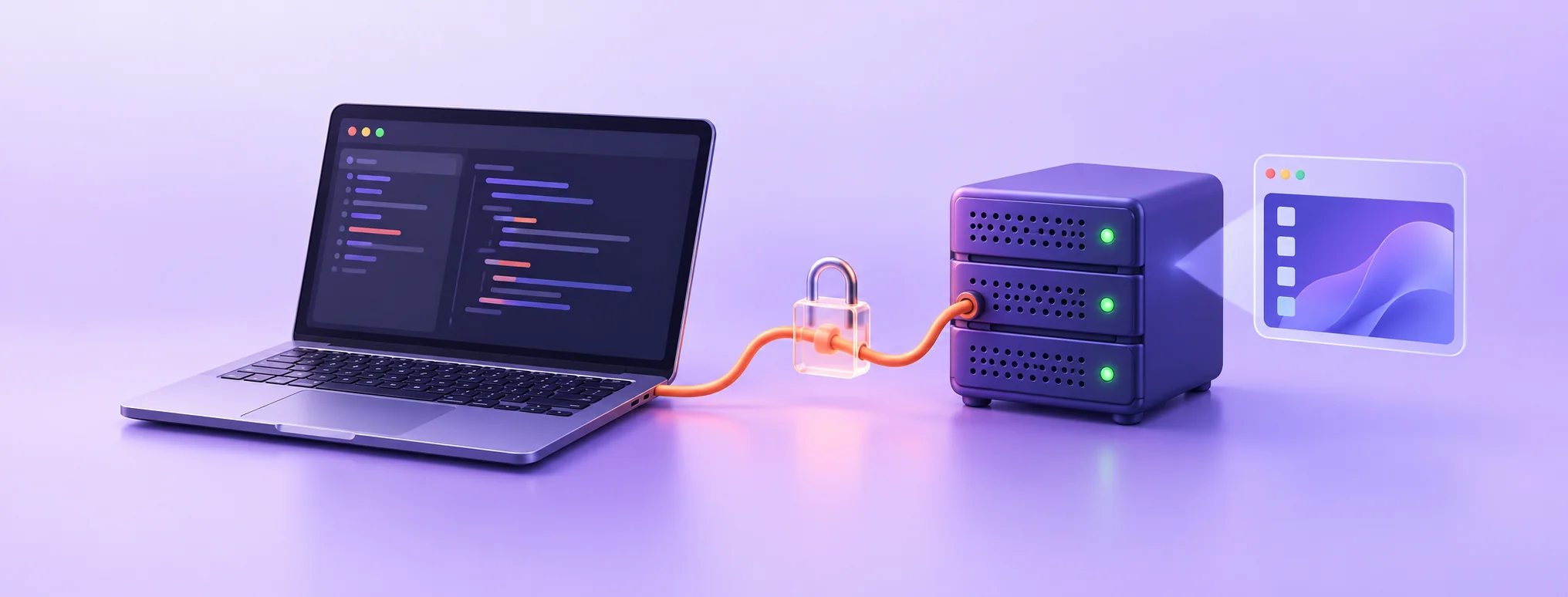
For VS Code users, the official Remote – SSH extension connects a local editor to a remote SSH host. Once the SSH connection works, connect to that host through the extension and open the project folder there. Terminals and development tools then run in the remote environment. Check extension and operating-system compatibility before committing to this workflow.
Keep development services private. If you only need to inspect a test application from your own computer, use a restricted tunnel or an appropriate private network instead of exposing every development port publicly. Review the listening address and firewall rules explicitly.
First-session check: clone a small project, install its dependencies, run its normal build and reconnect after closing the editor. Record elapsed time and peak resource use. This gives you a useful baseline for later changes.
Use Windows RDP with controlled access
Start by confirming the Windows edition, supported remote-access arrangement and software licences. A server image being available does not, by itself, prove that every multi-user desktop scenario is licensed. Microsoft documents separate licensing requirements for Remote Desktop Services Session Hosts; ask the provider which arrangement applies to your intended workload.
For access, retain Network Level Authentication and allow only the users who require a session. Microsoft's guidance explains that NLA authenticates a user before establishing the desktop session.
Prefer a suitable VPN or remote-access gateway so the machine does not need unrestricted public RDP access. Test the approved connection from the network you normally use, then verify that recovery-console access still works.
Install updates, test your essential applications and confirm that reconnecting does not lose your work. If interactive performance is poor, measure latency and resource pressure before buying a larger plan: more memory will not fix a distant or unstable network path.
Separate development, production and backups
Avoid using an experimental desktop or development workspace as the only production host. A dependency upgrade, accidental deletion or overloaded build can otherwise interrupt the public service.
Use separate credentials for development and production. Give deployment automation only the access it requires. Keep a list of secrets and integration tokens that would need replacing after a compromise.
Build a recovery plan around what cannot be recreated from Git:
- Database exports and uploaded files.
- Environment configuration, stored securely.
- Uncommitted work that matters.
- Application-specific data and a short restoration procedure.
A snapshot can make some recovery tasks easier, but its availability and retention depend on the provider. Keep an independent copy of important data and test restoring to a separate environment. For website workloads, follow our backup and test-restore guide.
Run a trial before moving the whole workflow
Use a representative project for the trial. Run a build, perform a normal editing session, transfer a realistic amount of data and reconnect from your usual network. Check resource use during the busiest operation, not just while the machine is idle.
Then rehearse one failure: restore a test file, recover a development database, or access the provider console after deliberately closing the normal session. Do not lock yourself out by changing multiple access controls at once.
A useful acceptance decision is specific: “This configuration runs our normal build, supports our required applications, and can be recovered using our documented process.” Keep the measurements with the plan details so future upgrades can be compared fairly.
Before you commit
Confirm the product and licensing details, test access securely, measure a real workload and prove recovery. That sequence is more reliable than selecting a remote server because a headline advertises powerful hardware.
For broader provider evaluation, read what to check in the infrastructure behind your hosting.
Sources
Reader questions
Do I need Windows RDP for remote coding?
Often you do not. A Linux VPS with SSH can run your development tools while an editor stays on your computer. Choose Windows when the applications or workflow actually require it.
Does an advertised Windows image include every remote-user licence?
Do not assume so. Confirm the operating-system and remote-user licensing arrangement with the provider for your intended use, especially for multiple users or an RDS Session Host.
Will a bigger VPS fix a slow remote desktop?
Only if resource pressure is the cause. Network latency, packet loss, application behaviour and display workload can also make a remote session slow.
Can I use a provider snapshot as my only backup?
Check the service terms and retention. Keep an independent copy of important data and test restoration so recovery does not rely on one provider account.
Was this guide helpful?
Help us make the next update better.
Sources & further reading
What changed
Replaced an empty partnership placeholder with a researched remote-work guide. Vendor capabilities are attributed; no unverified partnership terms, prices or performance guarantees are asserted. Reviewed against Rackoona, Microsoft and VS Code documentation.
Originally published . About our editorial updates.