Cloudflare Infrastructure SSH: 24 Hours Is Not a Guarantee
Cloudflare's 14 October update can close infrastructure SSH sessions at expiry. Audit overlapping apps and job recovery; 24 hours is not a transport guarantee.
The short answer
Cloudflare infrastructure applications now close active SSH connections at their configured session expiry, with a 24-hour default. Review the shortest matching application duration, separate Gateway limits and the remote job's recovery state before a long migration or deployment.

Reading options
On this page
- What changed, and who should care
- A 24-hour ceiling is not 24 hours of guaranteed transport
- Check the target and all matching applications
- Do not confuse connection expiry with login prompts
- Make the job recoverable, not merely the terminal reconnectable
- A harmless reconnect rehearsal with tmux
- Investigate a disconnect without duplicating the operation
- Reader questions
- Sources & further reading
Before you start
Authorized read access to your Cloudflare infrastructure-application configuration and the affected SSH target. For the optional unexecuted rehearsal, use a permitted test account with tmux installed. Production changes require an approved scope and recovery plan.
Direct answer: Cloudflare infrastructure SSH sessions now close when their configured application duration expires. The default is 24 hours, the shortest matching application duration applies, and separate transport limits mean 24 hours is not guaranteed. Check the effective timer and make long-running work safely resumable before a migration.
A website migration can survive a slow connection and still fail operationally when the administrator's terminal disappears. Cloudflare's latest infrastructure-access change makes that risk worth reviewing before your next long-running job.
Cloudflare announced configurable infrastructure-application session durations on 14 October 2026. This article was researched on 15 October 2026. The announcement describes an available feature, not a planned launch or a global outage.
What changed, and who should care
The official changelog describes a 24-hour default and closes active SSH connections through an infrastructure application when its configured duration expires. A target covered by multiple infrastructure applications uses the shortest duration.
Previously, that application-level duration was not enforced. However, the announcement does not establish that older connections were reliable indefinitely. Do not interpret the new default as a promise that a migration has a full day to finish.
This matters to people administering servers through Cloudflare Access for Infrastructure: hosting teams, developers deploying applications and administrators moving data. It is not a new upload limit, a WordPress security release or a cPanel SSH-key change.
Confirm the connection mode first. A public SSH endpoint, a client-side cloudflared configuration and an infrastructure target are not interchangeable setups. Our cPanel SSH-key guide covers key authorization; this article covers the lifetime of a different access path.
The release note does not name a new minimum client build or an OpenSSH patch version for this change. Use the current infrastructure SSH setup and limitations for your deployment's prerequisites, rather than treating an unrelated software upgrade as the fix.
A 24-hour ceiling is not 24 hours of guaranteed transport
There are two separate questions: when the access application intends to end the connection, and whether the transport stays available until then.
Cloudflare's Access troubleshooting guidance separately documents a maximum guaranteed duration of 10 hours for connections through Gateway because of periodic releases. It says a connection active during a release is terminated 10 hours later. This is not a claim that every SSH session ends exactly 10 hours after login.
Therefore, raising an application duration does not turn the network path into durable job storage. Ordinary network, client and server failures can also interrupt a session. A dropped terminal alone is not evidence of a Cloudflare-wide outage.
Consider this hypothetical configuration, not a test result:
- A general operations application has a 24-hour duration.
- A second application covering the same target has an eight-hour duration.
- The shorter matching application setting governs that target.
- A transport failure can still interrupt the connection before that ceiling.
The operational response is to make recovery deliberate, not to select the largest timeout and assume the problem is solved.
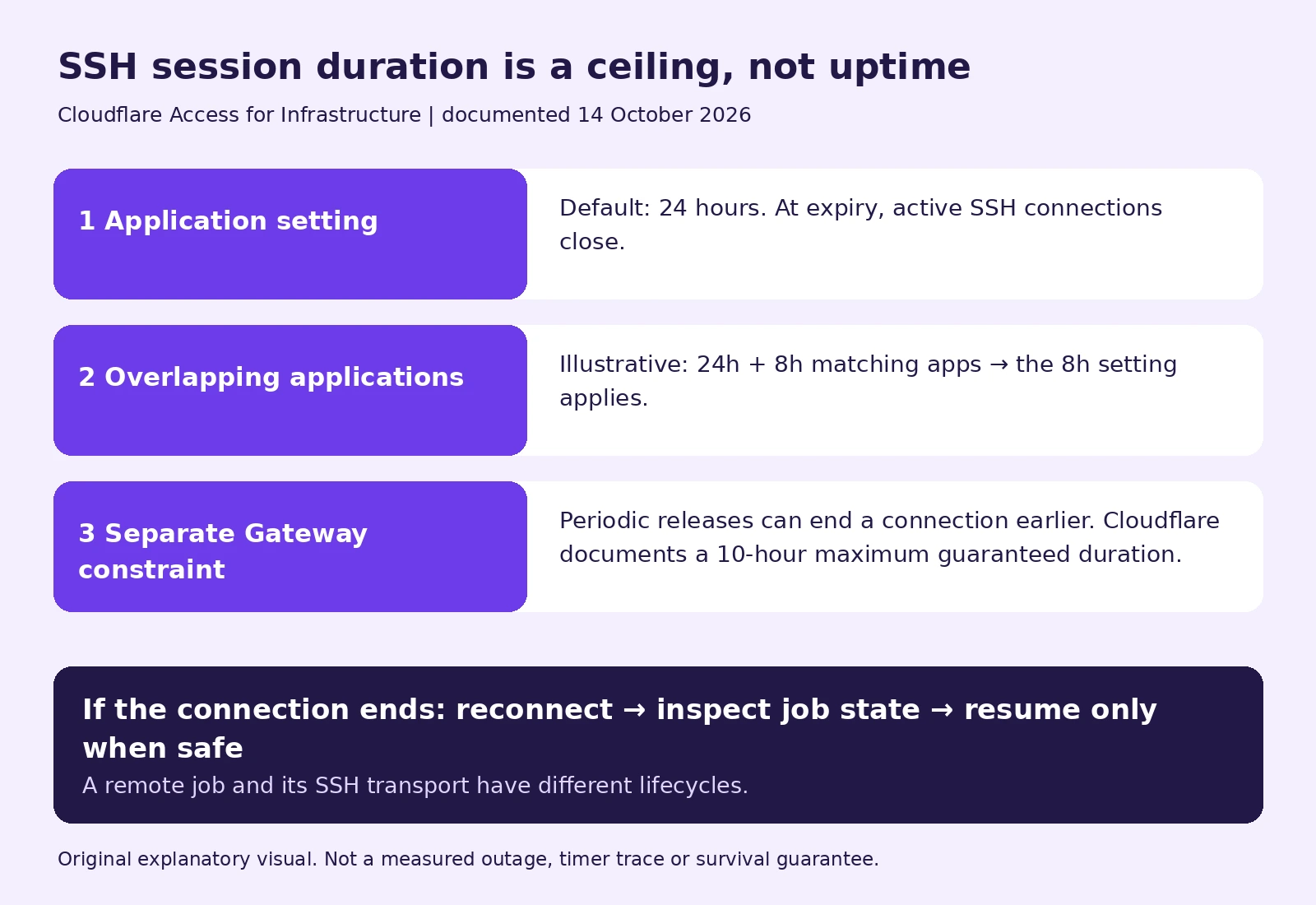
*Original explanatory visual; the overlapping-application durations are illustrative, not a measured test.*
Check the target and all matching applications
Before changing anything, make a private evidence note:
- Identify the server, SSH username, target and connection mode.
- Record the Cloudflare One Client and SSH client versions in use.
- List every infrastructure application matching that target, including tag-based criteria.
- Record their session durations and identify the shortest one.
- Record the disconnect time, timezone and approximate connection start time.
The application setup guide describes the dashboard route as Zero Trust → Access controls → Applications. For an existing infrastructure application, open its configuration and inspect Session duration. Do not accidentally create a second application while trying to review the first.
A read-only target inventory can be useful on a supported client:
warp-cli target listKeep its output private: it may identify internal systems and usernames. A listed target helps establish visibility, but it is not proof that a specific long-running operation completed.
If a duration change is approved, record the previous setting, change the intended application only, and test a new connection on a non-production target. The release note does not specify every existing-session transition or an exact rollout timestamp. Verify your actual configuration rather than assuming the publication date reset every user's timer.
Do not confuse connection expiry with login prompts
Cloudflare's session-management documentation distinguishes global, application, policy and client authentication sessions. Its infrastructure-specific paragraph explicitly describes active SSH closure.
That qualification matters when reading older tutorials or generic statements about non-HTTP sessions. A rule about when a user must authenticate again is not automatically a rule about how long an established infrastructure SSH transport remains open.
Similarly, SSH keepalives have another purpose. The OpenSSH client manual describes server-alive messages as encrypted-channel requests for a response after inactivity. They can help detect an unresponsive connection; they do not grant permission to extend an enforced Access lifetime.
Do not disable MFA, expose an alternative public SSH port or weaken certificate checks to work around expiry. Keep recovery inside the organization's approved access policy.
Make the job recoverable, not merely the terminal reconnectable
Our recommended preflight for a production migration or deployment is:
- Take the required backup and verify how to recover it. Our offsite-copy and test-restore guide explains why a backup filename is not sufficient evidence.
- Give the operation a unique identifier and retain private logs outside publicly served directories.
- Establish how to tell running, completed, failed and partially applied states apart.
- Decide whether rerunning is safe. Some database changes, invoices, deployments or imports cannot simply be repeated.
- Use an approved job runner, service or remote session mechanism when the work must outlive an interactive terminal.
An access connection and a remote process have different lifecycles. Closing the former does not prove the latter stopped. Conversely, detaching a terminal does not make a process survive a server reboot or a storage failure.
Persistence must be intentional. If policy requires work to stop when authorization ends, have the administrator enforce that execution policy. Do not use a detached session as a workaround for revoked access. This is especially important when an AI agent has hosting credentials: reconnect logic must inspect state before repeating a write.
A harmless reconnect rehearsal with tmux
The tmux project's own guide describes detaching programs and reattaching later. Where your host permits it and tmux is installed, you can rehearse with a short heartbeat instead of a production migration.
Unexecuted example: these commands were reviewed against the documentation, not run against a customer server or Cloudflare session. Use an approved test account and a unique unused session name.
After connecting to the test server:
tmux new-session -s access-checkInside that tmux shell, create a private temporary directory and run a one-minute heartbeat:
demo_dir=$(mktemp -d)
printf '%s\n' "$demo_dir"
for n in 1 2 3 4 5 6; do
  date -u
  sleep 10
done > "$demo_dir/heartbeat.log"
Detach using the default Ctrl-b, then d sequence. Close that test SSH connection, reconnect through the approved route, then attach:
tmux attach-session -t access-checkWhen the loop finishes, inspect its log inside the original reattached shell, where the variable was defined:
tail -n 6 "$demo_dir/heartbeat.log"Compare the timestamps and verify what actually happened. If the session is missing, investigate the host's logout/session-cleanup rules rather than assuming Cloudflare killed the job. Retain the small test log until you have checked it, then remove only that identified test directory under your normal cleanup procedure.
This rehearsal checks reconnect handling, not the 24-hour expiry mechanism. A separate authorized test is needed to observe application expiry. tmux does not preserve processes across host reboots, process termination or resource exhaustion, and some account policies may clean up detached work.
Investigate a disconnect without duplicating the operation
On reconnect, first inspect the job's state and output. Do not start another copy just because the terminal disappeared.
Then correlate evidence from the same time window:
- The effective infrastructure-application duration and overlapping target criteria.
- Client connectivity and Tunnel health.
- Available Access and host SSH logs, plus the application's own completion records.
- Host restarts, maintenance and resource errors where relevant.
Cloudflare documents SSH command-log retrieval, but do not assume recording was configured or that every team has the same export capabilities. Treat command output, identities and infrastructure details as sensitive. Share a redacted, narrowly scoped support bundle rather than publishing credentials or full logs.
The practical takeaway is simple: inspect the actual timer, plan for a shorter connection, and require evidence before retrying work. A reconnect button restores access to a server; it does not certify the state of the operation you left behind.
Reader questions
Does the new 24-hour default apply to every SSH connection?
No. The announced setting concerns Cloudflare infrastructure applications. Identify your connection mode and matching application before applying this guidance to a disconnect.
Can I rely on an infrastructure SSH session lasting a full day?
No. Application expiry is a ceiling, not a transport guarantee. Cloudflare separately documents Gateway release-related limits, and network or server failures can interrupt a connection earlier.
What if two infrastructure applications match my server?
The shortest matching infrastructure-application duration applies. Review all relevant target-selection and tag criteria, not just the application you expected to match.
Will SSH keepalives override the Access session duration?
No. Keepalives detect or maintain transport responsiveness; they do not override an enforced access lifetime.
Does an SSH disconnect mean my migration stopped?
Not necessarily. Inspect the remote process, logs and application state before restarting. Repeating a partially completed operation may duplicate work or damage state.
Does tmux guarantee that my job survives?
No. It can support detach and reattach where permitted, but host reboot, termination, cleanup rules and resource failures can still stop the job. Our heartbeat example is an unexecuted rehearsal, not a Cloudflare expiry test.
Was this guide helpful?
Help us make the next update better.
Sources & further reading
- Cloudflare announcement, 14 October 2026
- Infrastructure application configuration
- SSH infrastructure setup, limits and session duration
- Cloudflare Access session management
- Separate Gateway release-related connection limit
- SSH command-log documentation
- tmux official getting-started guide
- OpenSSH server-alive settings
Originally published . About our editorial updates.