How to get your website cited by ChatGPT, Claude and Google's AI answers
No secret file exists. What Google, OpenAI and Anthropic say about AI search, robots.txt recipes for search versus training bots, and a 15-minute site check.
The short answer
To be cited in AI answers, pages must be crawlable, indexed and useful. Google says AI Overviews and AI Mode need no special optimisation beyond normal search eligibility, and snippet controls such as nosnippet also limit AI features. Allow OAI-SearchBot and Claude-SearchBot if you want to appear in ChatGPT and Claude search; GPTBot, ClaudeBot and Google-Extended are separate training switches. Check robots.txt, your firewall and your logs, then write pages that answer first, cite sources and use real numbers and quotes.
Reading options
On this page
- The question your best page already answers
- What Google says
- Crawlers: one switch per job
- Robots.txt recipes you can copy
- The fifteen-minute check
- What to write so a machine can quote you
- Pages worth building first
- How to tell whether it is working
- Make the site technically easy to read
- The one message worth forwarding
- Reader questions
- Sources & further reading
To be cited in AI answers, your pages have to be reachable by the right crawlers, indexed, and genuinely useful. There is no secret file. Google says no special optimisation is needed for AI Overviews or AI Mode beyond normal search eligibility. OpenAI recommends allowing OAI-SearchBot if you want to appear in ChatGPT search, and Anthropic says blocking Claude-SearchBot may reduce your visibility in Claude's search results. Training crawlers are a separate switch you can turn off without hiding from search. After that, the work is writing pages worth quoting: a direct answer up front, named sources, real numbers and clear structure.
The question your best page already answers
Somewhere right now, a person is asking an AI assistant the exact question your best article answers. The assistant writes a tidy paragraph, adds a few links, and moves on. Your site is in those links, or it is not.
A made-up example of how sites drop out without noticing. A travel agency in Dubai installs a security plugin with a "block AI bots" switch, because it sounds sensible. Months later the owner asks ChatGPT for the best desert safari operators and sees competitors cited, never her own detailed guides. Her robots.txt is fine; the plugin's firewall was quietly turning away every AI crawler, including the ones that power search.
Nobody can promise you a citation, including us. What you can do is remove the blockers, make the right choices about training, and give these systems a page worth quoting. Most of it you can check yourself in fifteen minutes.
What Google says
Google's documentation is blunt. It says: "There are no additional requirements to appear in AI Overviews or AI Mode, nor other special optimizations necessary." It also says you don't need to "create new machine readable files, AI text files, or markup to appear in these features."
What counts is ordinary search eligibility: the page must be "indexed and eligible to be shown in Google Search with a snippet." Google's listed best practices are familiar: allow crawling in robots.txt, link your pages together, provide a good page experience, keep important content in text, use good images and video, and keep structured data consistent with what is visible on the page.
One detail people miss: the same controls that limit snippets in normal search, such as nosnippet, data-nosnippet, max-snippet and noindex, also limit what appears in Google's AI features. If a plugin added nosnippet to your pages, it hides them from AI answers too.
Crawlers: one switch per job
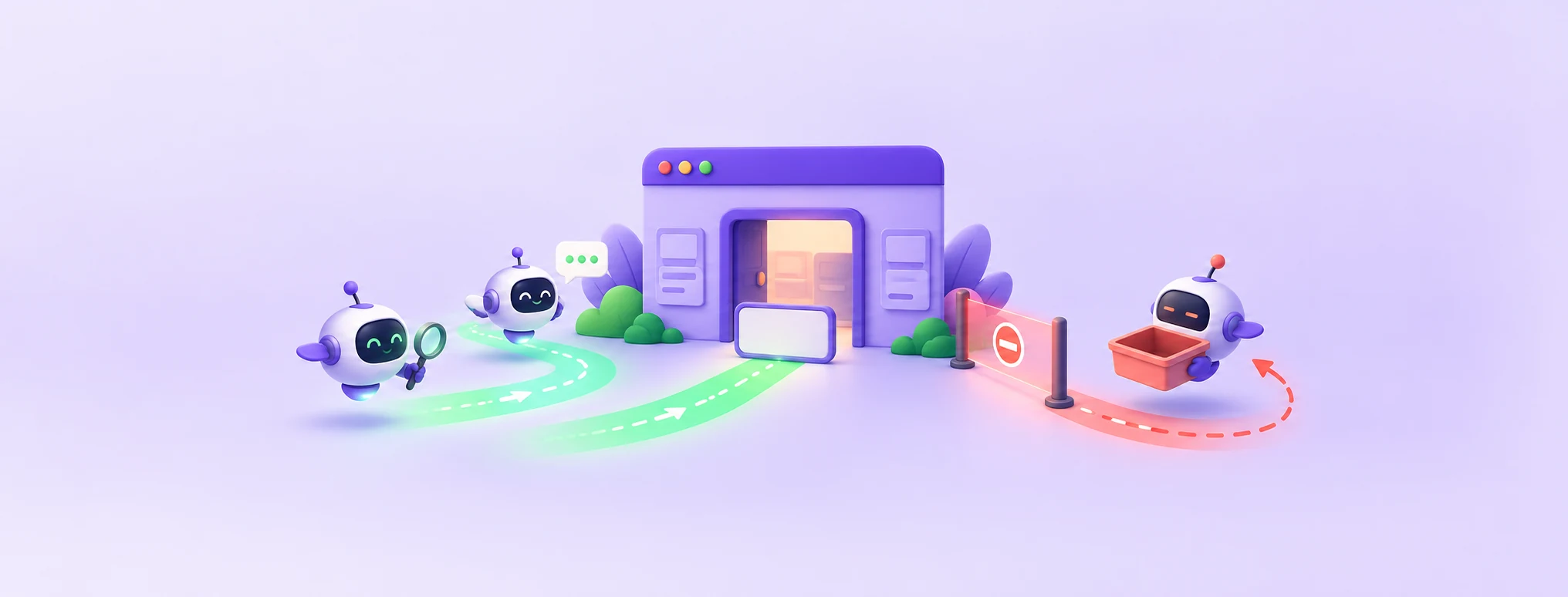
Each AI company runs more than one crawler, and each has its own job. Think of them as different delivery drivers for the same company: one collects material for the warehouse (training), one fetches a parcel when a customer asks (a user request), and one builds the catalogue (search). You can turn away one without turning away the others.
OpenAI
- OAI-SearchBot is used "to surface websites in search results in ChatGPT's search features." OpenAI recommends allowing it in robots.txt, and allowing requests from its published IP ranges, to help ensure your site appears.
- GPTBot crawls content that may be used to train OpenAI's foundation models. Blocking it is your training opt-out.
- ChatGPT-User visits a page when someone asks ChatGPT something. OpenAI notes that because these actions are initiated by a user, robots.txt rules may not apply.
OpenAI says it can take around 24 hours from a robots.txt update for its systems to adjust.
Anthropic
- ClaudeBot collects web content that could contribute to training. Disabling it signals that your future content should be excluded from training.
- Claude-User fetches pages when people ask Claude questions. Blocking it can reduce your visibility for user-directed web search.
- Claude-SearchBot improves search result quality. Anthropic says blocking it may reduce your visibility in search results.
Anthropic notes its bots honour robots.txt, and that blocking its IP addresses can backfire because it stops the bots reading your robots.txt at all.
Googlebot crawls for Search, and AI Overviews and AI Mode draw on that same index. Google-Extended is a separate token that controls whether content Google crawls may be used for training future Gemini models and for grounding. Google says it "does not impact a site's inclusion in Google Search nor is it used as a ranking signal in Google Search."
One caution. A paper at ACM SIGIR 2026, "How Generative AI Disrupts Search", reported that websites blocking Google's AI crawler were significantly less likely to be retrieved by AI Overviews, despite the content being accessible. That is one study's finding about a correlation, and it sits alongside Google's statement that the token does not affect Search, so treat it as an open question. If appearing in Google's AI answers matters a lot to you, think twice before blocking Google-Extended.
Robots.txt recipes you can copy
Robots.txt lives at yourdomain.com/robots.txt. Google's documentation explains a rule that trips people up: only one group of rules applies to each crawler, the group with the most specific matching user agent. So if a bot has its own section, it ignores the general User-agent: * section.
Recipe A: welcome search, opt out of training
This lets the search crawlers in and asks the training crawlers to stay out. Replace the sitemap address with yours:
User-agent: OAI-SearchBot
Allow: /

User-agent: Claude-SearchBot
Allow: /

User-agent: GPTBot
Disallow: /

User-agent: ClaudeBot
Disallow: /

User-agent: *
Disallow: /wp-admin/
Allow: /wp-admin/admin-ajax.php

Sitemap: https://example.com/sitemap.xml
Add a Google-Extended group with Disallow: / only if you have decided the training opt-out is worth the possible trade-off described above.
Recipe B: welcome everything
If you are happy for your content to be used for search and training, you only need the general group and your sitemap. Search crawlers then follow the * rules.
User-agent: *
Disallow: /wp-admin/
Allow: /wp-admin/admin-ajax.php

Sitemap: https://example.com/sitemap.xml
What to avoid
A line Disallow: / under User-agent: * blocks the whole site for every crawler that has no group of its own, including Googlebot. It is a common leftover from a staging site that went live. In WordPress, the Discourage search engines from indexing this site box under Settings > Reading is worth checking too.
The fifteen-minute check
1. Read your robots.txt
Open yourdomain.com/robots.txt in a browser and look for any group that blocks OAI-SearchBot, Claude-SearchBot or Googlebot, or a site-wide Disallow: /.
2. Check that Google can index you
In Google Search Console, use URL Inspection on your best page to confirm it is indexed, and look at the robots.txt report for errors.
3. Check your firewall and security plugin
Look for settings such as "block AI bots" or aggressive bot-fighting modes in your security plugin or CDN. A robots.txt that says yes does not help if a firewall says no. OpenAI publishes the IP ranges for OAI-SearchBot at https://openai.com/searchbot.json so you can allow them.
4. Test what a bot sees
This request pretends to be OAI-SearchBot by its user agent name:
curl -s -o /dev/null -w "%{http_code}\n" -A "OAI-SearchBot" https://example.com/A 403 here means something blocks that name. A firewall that checks IP addresses may still treat the real bot differently from your test, so combine this with the log check below.
5. Look for real visits in your logs
Download your access log (on cPanel, from the Raw Access page) and search it:
grep -E "OAI-SearchBot|Claude-SearchBot|Googlebot" access.log | tail -n 20Seeing these names with 200 responses is a good sign. Seeing them with 403 means something is turning them away.
What to write so a machine can quote you
A research paper, "GEO: Generative Engine Optimization" (Aggarwal and others, accepted at KDD 2024), tested ways of editing pages so generative engines would feature them more. Its abstract reports that the methods can boost visibility by up to 40%. Adding quotations, adding statistics and citing sources were among the most effective changes, while keyword stuffing, the old search trick, did not help.
One result stands out for smaller sites. The effect depended on rank: for a site ranked fifth in the paper's tests, citing sources raised visibility by 115.1%, while the top-ranked site lost 30.3%. Sites that were not already on top had the most to gain.
Keep the caveat in view: these were tests on a research benchmark, not promises about how ChatGPT, Claude or Google behave today. Treat them as a reason to write well, not as a trick. In practice, that means a few habits:
- Answer first. Put the direct answer in the first two sentences, then explain it.
- Source your numbers. Name the source and link to it whenever you state a figure.
- Quote real people and documents with attribution. Never invent a quote.
- Write headings as questions people ask, and add a short FAQ at the end.
- Show who stands behind the page: an author, a reviewed or updated date, and an about page that explains your expertise.
- Keep it in text. Important information locked in images or PDFs is harder for any crawler to use.
- Use accurate structured data, such as Article markup with the author and dates, where it matches the visible page.
Pages worth building first
Some kinds of page are naturally easier to quote, because they answer a specific question completely. If you are deciding what to write next, start here:
- Clear definitions and explainers for terms your customers search for, with a one-sentence answer at the top.
- Step-by-step guides with numbered steps, exact settings and what to do when something goes wrong.
- Comparisons with stated criteria, such as price, features and who each option suits, rather than vague "top ten" lists.
- Local and service pages with specifics: the areas you serve, opening hours, typical prices or price ranges, and how to contact you.
- Original information nobody else has: your own survey results, case studies with real (permitted) numbers, or a checklist from years of doing the work.
How to tell whether it is working
You cannot see inside these systems, but you can watch for signs.
- Referral traffic: in your analytics, look for visits referred by AI assistants, such as
chatgpt.com,claude.ai,gemini.google.comorperplexity.ai. Even small numbers tell you which pages they quote. - Search Console: Google says sites appearing in AI Overviews and AI Mode are reported in the Performance report under the "Web" search type, so keep an eye on the pages that gain impressions.
- A monthly spot check: keep a list of ten questions your customers really ask, and once a month ask them in ChatGPT, Claude and Google. Note which sites are cited, and whether yours appears.
- Your logs: the log search above shows whether search crawlers keep visiting after you make changes.
Make the site technically easy to read
- Speed and availability matter. A page that times out for a crawler is a page that cannot be quoted. Our LiteSpeed Cache guide covers speed for WordPress sites.
- Use HTTPS everywhere and a single canonical address, as our HTTPS redirect guide explains.
- Keep an XML sitemap and list it in robots.txt.
- Link related pages together, so crawlers find your deeper guides from your popular ones.
At the time of writing, this blog's robots.txt asks crawlers to stay out of the CMS back end, leaves public pages and media open, and points to the sitemap. If you are weighing hosting for a site like this, our piece on what AI-powered hosting actually changes explains where automation helps and where people still matter.
The one message worth forwarding
Copy this into a message to your web developer or host:
"Can you confirm that OAI-SearchBot, Claude-SearchBot and Googlebot are allowed in our robots.txt, that no firewall, CDN or security plugin blocks them, and that our pages do not use nosnippet or noindex by mistake? Separately, let us decide whether to block the training crawlers GPTBot, ClaudeBot and Google-Extended."
It takes them a few minutes and clears problems that are easy to miss from the outside. Then spend the rest of your effort on the part nobody can automate: writing a page that is worth citing.
Reader questions
Do I need an llms.txt file to appear in AI answers?
Google says you do not need new machine readable files, AI text files or markup to appear in AI Overviews or AI Mode. Focus on crawlability, indexing and useful content first.
Should I block GPTBot?
That is a decision about training. OpenAI says GPTBot crawls content that may be used to train its models. OAI-SearchBot is a separate crawler that decides whether you appear in ChatGPT search, so you can block one and allow the other.
Which robots.txt rule lets AI search in but keeps training bots out?
Give OAI-SearchBot and Claude-SearchBot their own groups with Allow: /, and give GPTBot and ClaudeBot groups with Disallow: /. Each crawler follows only the most specific group that matches its name.
Does blocking Google-Extended hurt my Google rankings?
Google says Google-Extended does not affect inclusion in Google Search and is not a ranking signal. A SIGIR 2026 study did find sites blocking Google's AI crawler were retrieved less often by AI Overviews, so weigh that trade-off.
Why is my site never cited even though robots.txt allows the bots?
A firewall, CDN bot protection or security plugin may be blocking them, or your pages may use nosnippet or noindex. Check your access logs for OAI-SearchBot, Claude-SearchBot and Googlebot responses.
How long do robots.txt changes take for ChatGPT search?
OpenAI says it can take around 24 hours from a robots.txt update for its systems to adjust.
Can anyone guarantee that my page will be cited?
No. These systems choose their own sources. Removing blockers and publishing clear, sourced pages improves your chances without guaranteeing a result.
Was this guide helpful?
Help us make the next update better.
Sources & further reading
- Google Search Central: AI features and your website
- Google Search Central: Common crawlers and Google-Extended
- Google Search Central: How robots.txt rules work
- OpenAI: Overview of OpenAI crawlers
- Anthropic: Does Anthropic crawl data from the web?
- Aggarwal et al.: GEO: Generative Engine Optimization
- How Generative AI Disrupts Search (SIGIR 2026)
Originally published . About our editorial updates.