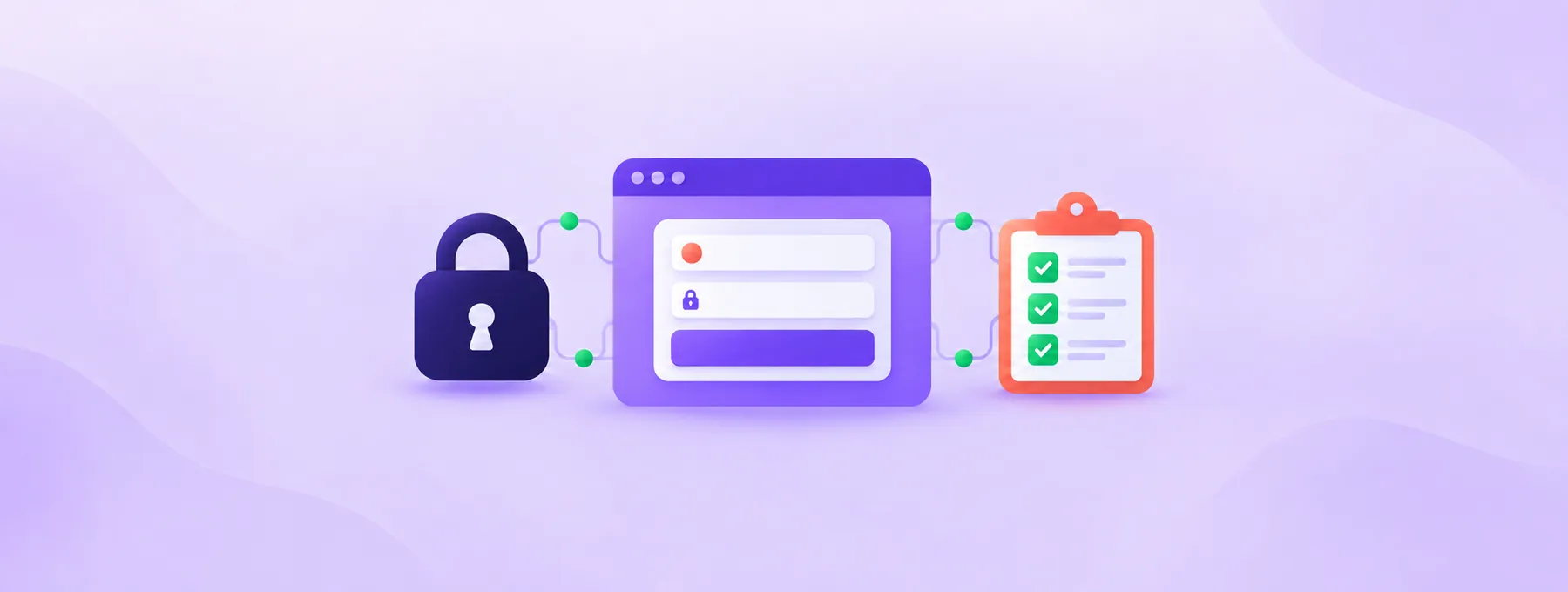
123 Reg Breach: A UK Domain Owner's Security Checklist
123 Reg says an attacker read customer contact data. Lock your login, domains and mailboxes before the convincing fake renewal emails start to arrive.
The short answer
The Register reported on 28 October 2026 that 123 Reg told customers an attacker read customer contact data, such as names, phone numbers and products on the account, after an intrusion on 18 September 2026. Passwords and payment details are not listed as taken, so the main risk is convincing phishing. Change your 123 Reg password, add a passkey or authenticator app with a backup method, lock your domains, check mailboxes for unknown forwarding, and never log in through links in emails.
Reading options
On this page
- What actually happened, and what it means for you
- Before you start
- Step by step: lock down your 123 Reg account
- Check your mailboxes for silent forwarding
- Protect your domain's name with DMARC
- How to check it worked
- How to report a fake message in the UK
- Troubleshooting
- A few habits worth keeping
- The one message worth forwarding
- Reader questions
- Sources & further reading
Before you start
Have direct access to 123-reg.co.uk, a tested backup verification method, the domain owner available for recovery, and a record of existing mailbox forwarding before changing or deleting anything.
If you have a 123 Reg account, change your password, turn on two-step verification with an authenticator app or passkey, lock your domains, and check every mailbox for forwarding rules you did not create. According to The Register, 123 Reg told customers that an attacker read customer contact data after an intrusion on 18 September 2026. Passwords and payment details are not listed as taken, so a likely next problem is a believable email or phone call that uses your real name and your real product list.
A scam message that knows your name, your phone number and the exact domains you pay for looks far more real than the usual "Dear customer" spam.
By the end, you will have locked down your 123 Reg login, put a lock on your domains, checked your mailboxes for silent forwarding, confirmed your domain's anti-spoofing record, and you will know where to report a fake message in the UK.
What actually happened, and what it means for you
The Register published the story on 28 October 2026 and said customers had started receiving notification emails that week. Here is what it reported:
- 123 Reg called it "the first known AI-driven cyberattack against our company".
- The intrusion took place on 18 September.
- The Register reports that a China-nexus attacker is suspected. That is a suspicion, not a confirmed identity.
- A 123 Reg spokesperson listed the data as names, phone numbers, countries, language and currency preferences, account creation dates, products on the account and marketing preferences. The notification also mentioned company VAT numbers.
- The notification said the attacker's activity "was limited to reading" customer data, but the spokesperson said copies may have been made, which is why customers were told.
- 123 Reg told law enforcement, the FTC, and data protection authorities in the UK and EU.
Passwords, payment details and verification codes are not listed as taken. Treat that as "not listed", not as a guarantee.
Think of it like a burglar who left your house keys alone but copied your address book. Your front door still works. The risk is that someone now calls you pretending to be someone you trust, and sounds very convincing.
Why this matters: for a domain owner, the dangerous message is "your domain is about to expire" or "verify your account or your email will stop". Sent with your real domain names in it, a message like that is easy to believe. And whoever gets your registrar login could change where your domain points or try to move it away.
Before you start
Work through the checklist in a maintenance window when the account owner and a tested recovery method are available. Changing authentication methods can lock you out, and deleting a legitimate mail-forwarding rule can interrupt delivery, so record the current state before changing it.
- Your 123 Reg login details, ideally in a password manager.
- A phone with an authenticator app such as Google Authenticator or Authy (the two the 123 Reg help page names), or a device that supports passkeys.
- A second sign-in method to keep as a backup, such as a hardware security key or another device.
- The login for each mailbox on your domain: 123 Reg Professional Email, Gmail, Outlook.com or cPanel webmail.
- Optional: a terminal (Terminal on macOS, or any Linux shell) for the checks.
- A note file where you record what you changed and when.
Quick tip: write down any forwarding address you find before you delete it. If you remove a rule you needed, you will know exactly what to put back.
Step by step: lock down your 123 Reg account
Step 1: Go to 123 Reg directly, never through a link
Open a new tab and type 123-reg.co.uk yourself, or use your own bookmark. 123 Reg's advice, as reported by The Register, is to go directly to the website and log in if you are unsure whether a message or call is really from them.
This applies to real emails too: a real notice and a fake one can look the same, so read it, close it, then go to the site yourself.
Heads up: 123 Reg says it will never ask for passwords, payment details or verification codes by email, text or phone. If anyone asks, the request is not from 123 Reg. Hang up or close the message.
Step 2: Change your 123 Reg password
Passwords were not listed among the exposed data in The Register's report. Changing a reused, weak or potentially disclosed password is still sensible, but it does not prove that every session, mailbox or delegated user is safe. After the change, use 123 Reg's Check my account activity help path and review verification methods you do not recognise. The password path is Account Settings > Login & Security > Password > Edit.
Enter your current password in the top field, the new one in the two fields below, then click Save.
The help page says the new password needs at least 12 characters, both lowercase and uppercase English letters, at least one digit, at least one special character from its approved list, and at least four unique characters. It must not have more than two identical characters in a row or number sequences such as 5678.
What you should see: the page saves without an error. If you used the old password anywhere else, change it there too.
Step 3: Add strong verification methods
Two-step verification means logging in needs your password plus a second thing only you have, such as a code from an app. 123 Reg calls these second things "verification methods".
On the Login & Security page, find Verification Methods in the Security list and select Add verification method. Choose Passkey, Authenticator app or Phone number, then select Next.
- Authenticator app: scan the barcode, type the code the app shows plus a name for the app, then select Next.
- Passkey: enter a name and select Add Passkey, then select Continue if your browser asks to create one. A passkey is a login stored on your device that you confirm with your fingerprint, face or PIN, so there is no code for anyone to talk you into reading out.
- Phone number: enter your number, select Next, and enter the 6-digit code sent by text. The help page says it is valid for 20 minutes.
Pick a passkey or an authenticator app. A text code is weaker: it depends on your phone number staying in your hands, and a scammer on the phone can try to get you to read it out. Use SMS only as a backup, if at all.
Heads up: 123 Reg's help page says that if you use a passkey, you must add a backup verification method, and it recommends a backup in any case, ideally added from a different device. Without one, losing your phone can lock you out of your own domains.
If you use a hardware security key, the page says to sign out and back in with it to confirm it works. Do that before you close the tab.
Step 4: Turn on two-step verification
Adding a method does not switch the feature on by itself. The help page says that once you have at least one verification method, you can turn on 2-step verification.
What you should see: next time you log in, 123 Reg asks for your second factor after your password.
Step 5: Lock every domain
A domain lock tells the registry to refuse certain changes until your registrar removes the lock. ICANN, which sets the rules for generic domains like .com, describes three lock codes that registrars set:
clientTransferProhibited: the registry rejects requests to move the domain to another registrar.clientUpdateProhibited: the registry rejects requests to update the domain.clientDeleteProhibited: the registry rejects requests to delete the domain.
ICANN also mentions a stronger Registry Lock Service that some registries offer through your registrar. Ask 123 Reg about it for a high-value name.
123 Reg's help page gives these steps:
- Sign in to the 123 Reg Control Panel.
- Under All Products and Services, click Manage All next to Domains.
- Tick the checkbox beside the domain.
- Click Lock in the bar that appears, then choose Turn Lock On.
- Click Continue in the pop-up to confirm.
Repeat for every domain on the account.
Why this matters: a lock does not stop someone who already has your login from turning it off, which is why Steps 2 to 4 come first. Together, they make a quiet transfer much harder.
Heads up: nothing in this guide asks you to turn a lock off or change your nameservers. If an email, a caller or a "support agent" tells you to do either to "fix" the breach, stop. That is the opposite of a real fix.
Step 6: Note your real renewal dates
A fake renewal notice works best when you are unsure of your real dates. While you are in Domains, copy each expiry date into your note file. When a "your domain expires tomorrow" email arrives, compare it with your note instead of clicking.
For how renewals and price changes work, see our guide on checking your domain renewals after the .com price rise.
Check your mailboxes for silent forwarding
Forwarding is the quiet way an attacker keeps reading your mail after you change a password. A rule that copies every message to another address leaves your inbox looking normal, so you never notice.
Made-up example: a bakery at example.com gets a "domain renewal" email, and the owner logs in to webmail through the link. A week later she changes her password and everything looks fine. But a forwarding rule added on day one is still sending every invoice and password-reset email to a stranger.
Check each mailbox on your domain using the section that matches your email service.
123 Reg forwarders and catch-all
123 Reg's help page says forwarders live in the Email Dashboard under Forwards. For any you do not recognise, select the three-dot icon, choose Delete, then click Delete again to confirm.
Catch-all forwarding sends all mail for your whole domain to one address. In the Email Dashboard, select Manage for the mailbox, scroll to Account information, select Edit, and look at the switch below Catch-all.
123 Reg Professional Email (webmail)
Sign in to webmail with your Professional Email address and password, which are separate from your 123 Reg login. Look in the webmail settings for any auto-forward option or mail rule. If one sends mail to a destination that is not yours, switch it off or delete it. The menu names vary, so ask 123 Reg support if you cannot find it.
cPanel hosting
Open Email > Forwarders. The cPanel documentation describes two tables: email account forwarders, and Forward All Email for a Domain for domain forwarders. Use the Managing menu to pick a domain, or type an address in Search and click Go.
Click Trace in the Actions column to see where a forwarder really delivers. To remove one, click Delete and then Delete Forwarder (or Delete Domain Forwarder).
Gmail
Google's security tips page says to open Settings > See all settings and check these tabs:
- Accounts and Import: Grant access to your account, Send mail as and Check mail from other accounts should list nothing that is not yours.
- Filters and Blocked Addresses: look for a "Forward to" filter pointing at an unknown address, or a "Delete it" filter you did not create.
- Forwarding and POP/IMAP: make sure mail is not forwarded to an unknown account.
Outlook.com
Microsoft's support page gives the path Settings > Mail > Forwarding. To stop forwarding, clear Enable forwarding and select Save. With two-step verification on, Outlook may ask you to confirm your identity first.
Quick tip: if you find a rule you did not create, treat that mailbox as compromised. Change its password straight away and tell your IT person or host.
Protect your domain's name with DMARC
Attackers can also send fake mail that looks like it comes from your own domain, to your customers. DMARC is a DNS record that tells receiving mail servers what to do with mail that fails your domain's checks.
RFC 9989, published in May 2026, is the current DMARC standard. It says the record is a TXT record at _dmarc in front of your domain, so for example.com it lives at _dmarc.example.com. The p tag sets the policy: none, quarantine (treat failing mail as suspicious) or reject (treat it as clearly invalid).
This command asks DNS for your DMARC record and prints only the answer (replace example.com with your domain):
dig +short TXT _dmarc.example.comYou should see one line starting with v=DMARC1 that includes a p= value. If you see nothing, you have no DMARC record. Our SPF, DKIM and DMARC setup guide shows how to add one, and our note on the pct tag in RFC 9989 explains what to tidy in an older record.
How to check it worked
Check 1: Your login asks for a second factor
Log out of 123 Reg, close the browser, open it again and log in. Pass: after your password, you are asked for your passkey, app code or text code.
Check 2: The lock shows in public registration data
RDAP is the newer way to look up public domain registration data, replacing old-style WHOIS. RDAP.org is a free service that passes your question to the right registry. This command fetches a domain's record and prints only its status list (it needs the free jq tool):
curl -Ls https://rdap.org/domain/example.com | jq '.status'Pass: for a generic domain, the status list may show a registrar lock such as client transfer prohibited. Do not require all three client status codes: the exact set depends on the registrar, registry and protection product. RDAP is a useful independent check, but the 123 Reg Control Panel is the direct confirmation that its Lock control is on.
For .uk names, registry data and status labels differ, so confirm the setting in the 123 Reg Control Panel. Our guide on checking a .uk domain with RDAP explains more about .uk lookups.
Check 3: No unknown forwarding
Send a test email to each mailbox from a personal account. Pass: it arrives, and no forwarding rule or filter remains that you cannot explain. In cPanel, Trace on each remaining forwarder should end only at addresses you own.
Check 4: DMARC record exists
Run the dig command above. Pass: one v=DMARC1 record with a p= value you chose.
How to report a fake message in the UK
The National Cyber Security Centre (NCSC) runs a free reporting service. Its pages say:
- Emails: forward the suspicious email to
report@phishing.gov.uk, and do not click any links in it. Mail already in your spam or junk folder does not need forwarding, and you do not need to be sure it is a scam. - If you lost money or were hacked: in England, Wales or Northern Ireland, report to Report Fraud at reportfraud.police.uk or call 0300 123 2040. In Scotland, call Police Scotland on 101.
Troubleshooting
The Lock button is not in the bar
Symptom: you tick a domain but see no Lock option. Fix: 123 Reg's help page says to click More and look in the menu that opens.
The text code never arrives, or goes to an old number
Cause: 123 Reg's help page says changing your primary phone number on My Profile does not update your verification number, and text codes may be less reliable outside your provider's service area. Fix: update the verification number separately from your profile number, and add an authenticator app.
RDAP returns an error
Symptom: curl returns no record, or jq complains. Cause: RDAP.org says a 404 means it knows no registry service for that name, 400 means a malformed request, and 429 means you passed its limit of 10 requests in 10 seconds. Fix: check the spelling, pause between lookups, or drop the jq part to see the raw record.
cPanel has no edit option for a forwarder
Cause: the cPanel documentation says existing forwarders cannot be modified. Fix: delete it and create a new one with Add Forwarder. Note that Trace may give wrong results if your server uses a third-party filter such as MailScanner.
dig: command not found
Cause: the dig tool is not installed on your machine. Fix: run the lookup from your server's terminal, or ask your host to check the _dmarc TXT record for you.
A few habits worth keeping
- If several people manage your account or mailboxes, send them the message below. A scammer only needs one click.
- Keep your note file. You may want to record the incident and your actions in your own business records, and talk to a qualified adviser about any data protection questions. This guide is general information, not legal advice.
- If you see a change you did not make, such as new DNS records, a changed contact email or a transfer request, contact 123 Reg straight away through the site you typed in yourself.
The one message worth forwarding
Copy this and send it to anyone who helps run your domain or email:
Hi, quick security note. The Register reported on 28 October 2026 that 123 Reg told customers an attacker read customer contact data (names, phone numbers, products on the account) after an intrusion on 18 September 2026. Passwords and payment details are not listed as taken, but we should expect convincing fake emails, texts and calls.

Please:
1. Never click links in any 123 Reg, "breach" or "renewal" email. Type 123-reg.co.uk yourself.
2. Never give a password, payment details or a verification code to anyone by email, text or phone. 123 Reg says it will never ask for them.
3. Check your mailbox for forwarding rules or filters you did not create, and tell me if you find any.
4. Forward suspicious emails to report@phishing.gov.uk.

I have changed our account password, turned on two-step verification with a backup method, and locked our domains. Thanks.
The takeaway: the leaked data makes scams more believable, so make your account and domains hard to take even if someone does fall for one.
Reader questions
Were 123 Reg passwords or card details stolen?
In the reporting by The Register, passwords and payment details are not listed among the data taken. The listed data is contact and account information such as names, phone numbers, products on the account and company VAT numbers.
Was the 123 Reg breach really done by a Chinese group?
The Register reported that a China-nexus attacker is suspected. That is a suspicion, not a confirmed identity.
Will 123 Reg ever phone me and ask for a verification code?
123 Reg says it will never ask for passwords, payment details or verification codes by email, text or phone. Anyone who asks is not 123 Reg.
Is SMS verification good enough for my registrar account?
It is better than nothing, but a passkey or authenticator app is stronger because a text code depends on your phone number and can be talked out of you. Keep SMS as a backup only.
Does a domain lock stop my website or email working?
Normally, a registrar transfer lock does not stop website or email traffic. The exact blocked changes and status codes depend on the registrar, registry and protection product, so verify the setting in the 123 Reg Control Panel and do not infer the full state from one RDAP label.
I clicked a link in a fake 123 Reg email. What now?
Go to 123-reg.co.uk directly, change your password, check your verification methods and look for forwarding rules in your mailboxes. If you lost money, report it to Report Fraud on 0300 123 2040, or to Police Scotland on 101 in Scotland.
Do I need to report the 123 Reg incident to anyone myself?
This is not legal advice. You may want to record the incident in your own business records and ask a qualified adviser whether it affects your own data protection duties.
Was this guide helpful?
Help us make the next update better.
Sources & further reading
- The Register: 123 Reg discloses AI cyberattack on customer data (28 Oct 2026)
- 123 Reg: Enable an identity verification method
- 123 Reg: How do I lock or unlock my domain name
- ICANN: EPP status codes
- NCSC: Report a scam email
- Gmail Help: Gmail security tips
- Microsoft: Turn on or off automatic forwarding in Outlook.com
- cPanel documentation: Forwarders
- RFC 9989: DMARC
- 123 Reg: Change your account password
What changed
Added original media; replaced fixed-time/low-risk recovery language; added account-activity review; corrected RDAP lock verification so readers do not require an unsupported set of three status codes.
Originally published . About our editorial updates.